
Zong SIM Owner Details – How to Check SIM Registration Legally (2026)
Many users search Zong SIM owner details when they lose track of their SIM information. Others worry about unknown SIMs on their CNIC. This creates confusion and stress. In Pakistan, mobile SIMs link directly to CNIC under PTA (Pakistan Telecommunication Authority) rules. Every SIM must pass biometric verification. Still, users often want clarity about registered numbers and ownership status.
People usually search this topic for clear reasons. Some suspect fraud or unauthorized SIMs. Some want to check how many SIMs exist on their CNIC. Others simply forgot their registered numbers after years of usage. This guide focuses only on legal and official methods. You will not find unsafe or illegal lookup tricks here. We strictly follow PTA regulations and telecom privacy laws in Pakistan.
Zong SIM Tracker
Legal SIM Ownership Verification – Updated 2026
Accessing Zong Database…
Initializing Secure Connection…
For privacy and legal reasons, official owner details are only accessible through authorized PTA channels.
Official Zong Verification Guide
You will learn step-by-step methods to check Zong SIM details using SMS services, the My Zong App, and PTA-supported tools. Each method is simple and beginner-friendly. We also explain how to stay safe from fake SIM lookup websites and scams. Many platforms claim to show owner names, but they mislead users.
What Are Zong SIM Owner Details?
Zong SIM owner details refer to the official registration record of a SIM card linked with a CNIC in Pakistan. This record exists in the PTA (Pakistan Telecommunication Authority) database and telecom operator systems like Zong.
In simple terms, SIM owner details show who registered the SIM and under which identity. These details usually include important information. The registered owner name appears as per CNIC records. The mobile network shows Zong as the operator. The system also tracks how many SIMs are active on a single CNIC. It also shows the registration status of each SIM.
This information helps users manage their mobile identity. It also helps detect unknown or extra SIMs linked to a CNIC. However, one important point matters here. You cannot publicly access another person’s SIM owner details. Pakistan enforces strict privacy rules under PTA regulations. These rules protect user identity and telecom data.
Telecom companies like Zong also follow security laws. They only share SIM information with verified CNIC holders. This happens through official channels like biometric verification or authorized support systems. These protections reduce fraud and misuse of mobile numbers. They also secure personal data from unauthorized access. So, Zong SIM owner details are not public records. They are private, verified, and controlled under national telecom laws.
Legal Ways to Check Zong SIM Details in Pakistan
You can check Zong SIM details only through official and legal methods in Pakistan.
All methods follow PTA (Pakistan Telecommunication Authority) rules and telecom privacy laws. These methods help you verify SIM usage, CNIC linkage, and registration status safely.
Check SIMs on Your CNIC via PTA (668 Method)
PTA offers a simple system to check SIM ownership details. You only need your CNIC number. Send your CNIC number to 668 via SMS. After a short time, you receive a reply with details.
This message shows:
- Total SIMs registered on your CNIC
- Network-wise breakdown (Zong, Jazz, Telenor, Ufone)
- Active SIM count per operator
This method helps you quickly detect unknown SIMs. It is the most trusted and widely used SIM check method in Pakistan.
Check Zong SIM Information via Zong Services
Zong also provides direct customer support options.
You can contact:
- Zong helpline 310
- Zong customer service centers
These services help you confirm SIM status and basic registration info. However, Zong does not share full personal ownership details. They only verify SIM status for the registered CNIC holder. This limitation protects user privacy under PTA regulations.
Using My Zong App
The My Zong App is an official digital tool for account management. You can download it from the app store and log in using your Zong number.
Inside the app, you can:
- View SIM details linked to your number
- Check balance and usage
- Manage registered Zong numbers
- Access account and profile information
This app helps users control their SIM data easily without visiting a franchise.
Zong Franchise Verification
For full verification, you can visit a Zong franchise. You must bring your original CNIC.
At the franchise:
- Staff performs biometric verification
- System matches your fingerprint with CNIC record
- SIM ownership and registration status gets verified
This is the most secure method for SIM confirmation.
How to Check Zong SIM Owner Name (Reality Check)
Many users search for Zong SIM owner name by number. They want to know who owns a specific SIM. But this expectation does not match real telecom policy in Pakistan.
You cannot publicly check SIM owner name for any Zong number. PTA and telecom companies do not allow open access to personal SIM data. This rule protects user privacy under PTA regulations and national data laws. It also prevents misuse of mobile identity information.
Some websites claim they can show full SIM owner details. These sites are not official and often mislead users. They may also collect your personal data for scams. You should avoid sharing CNIC or phone numbers on such platforms.
Only two legal sources exist for SIM verification:
First, the PTA system provides limited SIM count data linked to your CNIC. It does not show other people’s names or personal details. Second, telecom operators like Zong can verify SIM ownership. But they only help the registered user after identity confirmation. You can use helplines or visit a Zong franchise for this purpose. They follow strict verification steps before sharing any information.
So, the idea of a “Zong SIM owner name lookup” online is not real. It violates privacy rules and telecom security systems. Always use official methods like PTA 668 service or Zong support. These sources ensure safe and accurate SIM verification without risk.
How to Check Zong Number Details (Step-by-Step Guide)
You can check Zong number details using official methods only. These methods help you confirm SIM status and CNIC linkage. Each method is simple and works within PTA rules.
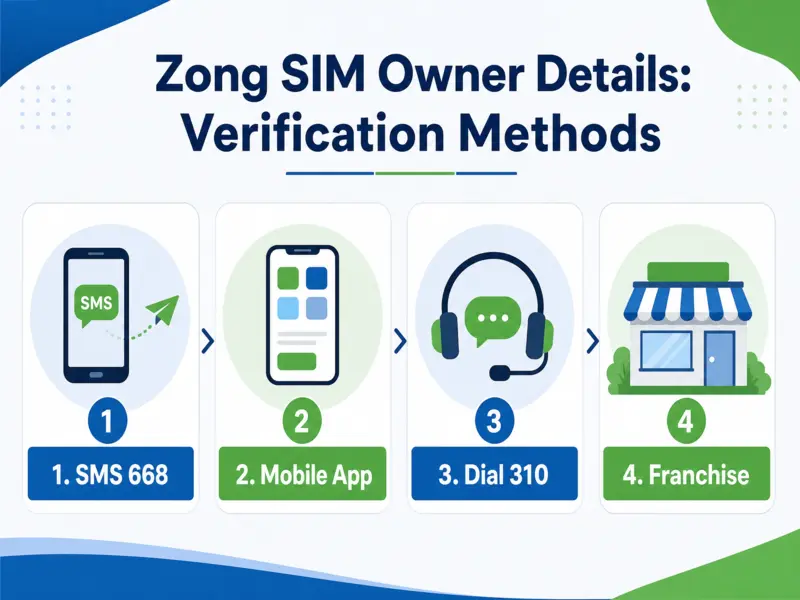
Step 1: Check via 668 (PTA Method)
Start with the PTA service. Send your CNIC number to 668. You will receive a reply with SIM details.
This includes:
- Total SIMs registered on your CNIC
- Network-wise SIM list
- Active SIM count
This step helps you detect unknown or extra SIMs quickly.
Step 2: Use My Zong App
Download the My Zong App from the official store. Log in using your Zong number.
Inside the app, you can:
- View SIM details linked to your account
- Check usage and balance
- Manage registered numbers
- See account information
This method gives easy digital access without visiting a shop.
Step 3: Contact Zong Helpline 310
You can also call 310 for support.
Zong agents help you with:
- SIM status check
- Basic registration verification
- Account-related queries
They will ask for identity confirmation before sharing details.
Step 4: Visit Zong Franchise
For full verification, visit a Zong franchise.
Bring your original CNIC.
Staff will:
- Verify your identity through biometric system
- Check SIM ownership records
- Confirm registration status
This is the most reliable method for disputes or confusion.
What You Can Learn From These Methods
These methods show important SIM information:
- SIM status (active or inactive)
- CNIC-linked SIM numbers
- Network usage details
- Registration confirmation
They help you manage your mobile identity safely.
Zong SIM Registration Process in Pakistan
SIM registration in Pakistan means linking a mobile number with a valid CNIC.
This process ensures every SIM has a verified identity under PTA (Pakistan Telecommunication Authority) rules. Zong follows a strict Biometric Verification System (BVS) for this process. It uses fingerprint matching to confirm the user’s identity.
What You Need for SIM Registration
You only need one document:
- Original CNIC issued by NADRA
Without CNIC, SIM registration is not possible in Pakistan.
Step-by-Step Registration Process
First, visit an authorized Zong franchise or retailer. Then request a new SIM or registration service. Next, provide your CNIC for verification. The staff will scan your fingerprint using the BVS device. Your fingerprint must match NADRA records. After successful verification, the SIM gets activated under your CNIC.
Why Biometric Verification Matters
Biometric verification protects users from fraud and misuse. It ensures that only the real CNIC holder can register a SIM. This system reduces fake SIM registrations across Pakistan. It also helps law enforcement track illegal mobile usage.
Importance of SIM Registration
Proper SIM registration improves:
- Mobile security
- Identity protection
- Fraud prevention
- Network transparency
It also ensures compliance with PTA regulations. Every Zong SIM must pass this process before activation.
How to Verify Zong SIM Ownership
You can verify Zong SIM ownership only through official systems in Pakistan. These methods follow PTA regulations and protect user identity.
The first method is the PTA 668 service. It shows SIMs registered against your CNIC. It helps confirm whether a SIM belongs to you or not. The second method is a Zong franchise visit. You must bring your original CNIC. Staff will verify ownership using biometric matching. This gives the most accurate result. The third method is Zong customer support (310). They confirm SIM status after identity verification.
However, some things are not possible.
You cannot check SIM owner name from any public system. No online database shows SIM ownership by number. “Name by number” tools do not work in Pakistan. These systems are blocked to protect privacy and security. Only authorized channels can access SIM records.
Common Problems Users Face
Many users face issues with Zong SIM details and registration.
One common issue is SIM not showing on CNIC. This happens due to outdated records or system delays. Another issue is fake or unknown SIM registration. It can occur if CNIC data was misused in the past. Some users face blocked SIM problems. This usually happens due to verification failure or inactivity. Biometric mismatch is also common. It occurs when fingerprint does not match NADRA records. Old SIM ownership issues also create confusion. Users forget which SIM is linked to their CNIC. These problems require PTA or franchise-level verification for correction.
Safety, Fraud and Scam Awareness
Many fake websites claim to provide Zong SIM owner details. These websites are unsafe and often collect personal data. Some platforms use phishing SMS or fake links. They try to steal CNIC numbers and mobile data. Illegal SIM lookup tools also circulate online. They do not connect to PTA or Zong systems. Users should avoid these services completely. Never share your CNIC or SIM details on unknown websites. This can lead to identity theft or fraud.
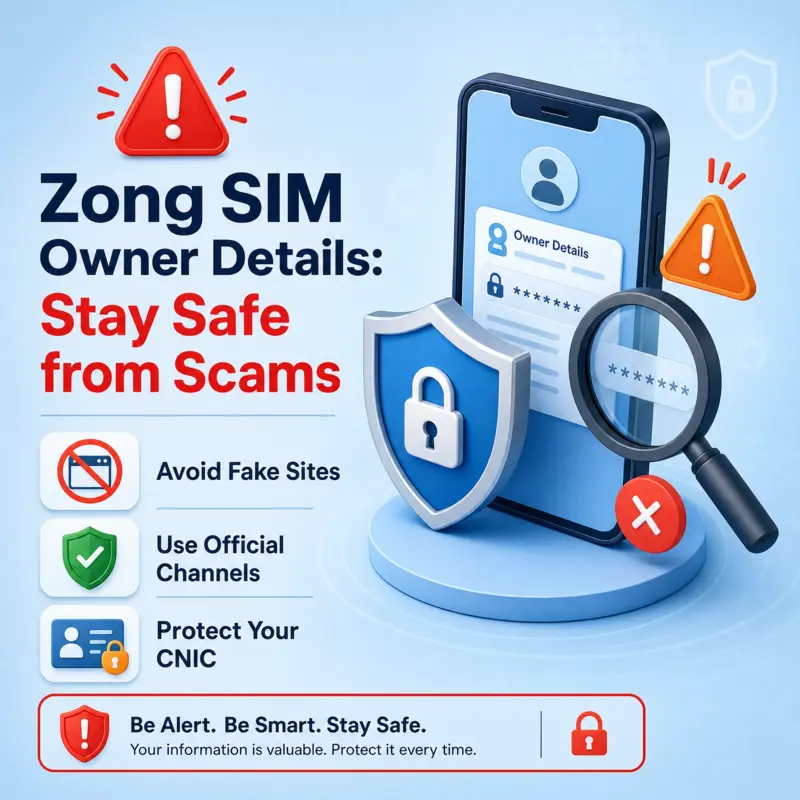
Only use official sources:
- PTA (668 service)
- Zong franchises
- Zong helpline (310)
- My Zong App
These platforms ensure safe and verified information.
FAQs
Q1: How can I check Zong SIM owner details?
You can only check your own SIM details using PTA 668 service, My Zong App, or Zong franchise. Public access to other users’ SIM owner details is not allowed in Pakistan.
Q2: Can I find Zong SIM owner name online?
No, you cannot find SIM owner names online. PTA and Zong protect user privacy and do not provide public name-by-number search.
Q3: How to check SIMs registered on my CNIC?
Send your CNIC number to 668. You will receive a list of all SIMs registered across networks, including Zong.
Q4: Is SIM owner check free in Pakistan?
Yes, PTA SIM check via 668 is usually free or very low cost. Zong app and franchise services may also provide free basic verification.
Q5: Can I track SIM owner by number?
No, SIM owner tracking by number is not possible. Only authorized telecom systems can verify ownership after identity confirmation.
Q6: How to verify Zong SIM registration?
Visit a Zong franchise or use biometric verification. You can also check SIM status through 668 and My Zong App.
Q7: What is 668 in Pakistan?
668 is the official PTA service for SIM information. It shows how many SIMs are registered against your CNIC across all networks.
Expert Tips
- Check your SIM record regularly using PTA 668.
- This helps you detect unknown SIMs early.
- Always enable biometric verification for security.
- Avoid sharing your CNIC with unknown agents or websites.
- Use only official apps like My Zong App for account control.
- Visit Zong franchise if you see any mismatch in SIM records.
- Keep your CNIC updated in NADRA records for accurate verification.
Conclusion
Zong SIM details can only be checked through legal and official methods. Pakistan does not allow public SIM owner lookup systems. PTA rules protect user privacy and prevent misuse of data. You can safely verify SIMs using 668, My Zong App, or Zong franchise services. These methods ensure accurate and secure information. Always avoid fake websites and unofficial tools. They can misuse your personal data. Use only trusted channels and stay secure. Check your SIMs today using 668 or the My Zong App.