Live Call Tracker
A live call tracker helps users view and manage call activity in real time on their own devices. Many people search for live call tracking tools to organize call logs, monitor communication, or improve productivity. Others want to understand how these apps work before installing one.
Live Call Tracker: Safety & Setup Wizard
Complete these 4 steps before installing any call tracking tool to ensure privacy and compatibility.
Some users confuse legitimate phone call tracker apps with tools that claim to monitor someone else’s calls without permission. These claims are misleading and often violate privacy laws. Trusted call-tracking apps work only with the permissions granted by the device owner and follow platform policies, such as Android’s permission model.
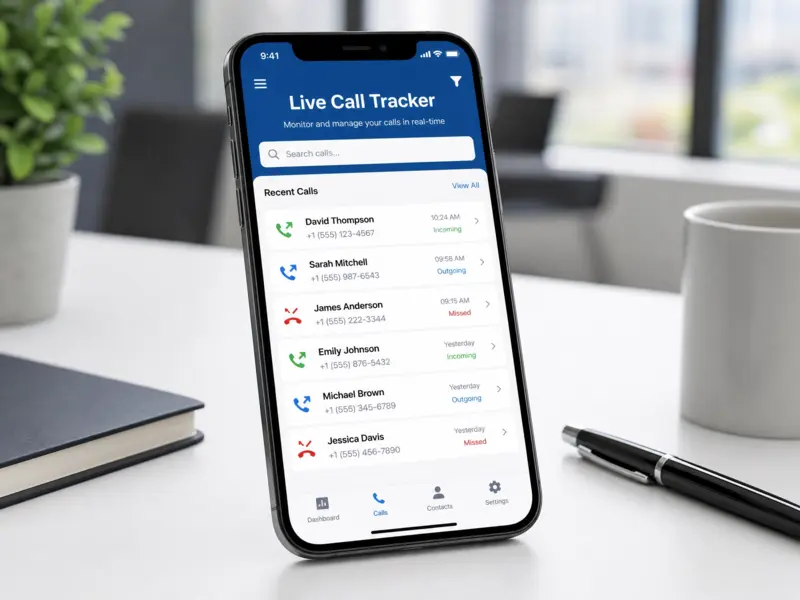
This guide explains how a mobile call tracker works, its key features, safety considerations, and device compatibility. You will also learn about real-time call tracking, common use cases, and tips for choosing a reliable app that respects your privacy and data security.
What Is a Live Call Tracker?
Definition
A live call tracker is a tool that helps users view and manage call activity on their own devices in real time. It displays information such as incoming calls, outgoing calls, missed calls, and call history as events occur. The main purpose of real-time call tracking is to improve call management, organize communication, and help users access important call details quickly. Android apps rely on system permissions to provide these features.
How It Differs from Other Call Apps
A live call tracker serves a different purpose than many common call apps. A call recorder saves audio conversations, while a Caller ID app identifies unknown numbers. A call log app mainly stores past call records. Phone management apps offer broader device tools, including contacts and storage management. In contrast, a live call tracker focuses on displaying and organizing real-time call activity. It gives users a clear view of ongoing communication without replacing other call-related applications.
How Does a Live Call Tracker Work?
A live call tracker works by accessing approved Android permissions after the device owner grants them. These permissions allow the app to read call logs and display recent call activity. Android requires user consent before apps can access sensitive data.
When a call starts or ends, the app detects the event through the Android system. It updates the call logs and sends notifications if that feature is enabled. Many apps also run a lightweight background service to keep information current without interrupting normal phone use.
Some live call tracking apps organize data in a user dashboard. The dashboard shows recent calls, missed calls, call duration, and other details in one place. If the app supports cloud synchronization, it can sync data across the user’s authorized devices after sign-in.
The app processes call information to provide real-time updates. It does not create call records on its own. Instead, it organizes existing device data into a simple and easy-to-read interface. Android’s permission system and privacy controls help users decide what information an app can access.
Key Features of a Live Call Tracker
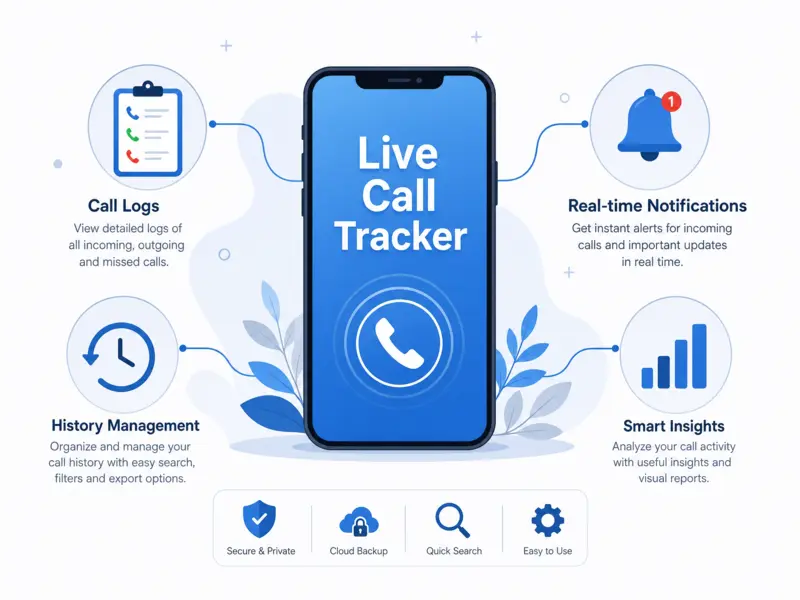
Real-Time Call Information
A live call tracker displays call activity as it happens. Users can quickly view incoming, outgoing, and missed calls without searching through menus. Real-time updates improve communication management and help users stay organized throughout the day.
Incoming & Outgoing Call Logs
The app organizes incoming and outgoing call logs in one place. Users can review call duration, contact names, phone numbers, and timestamps. This makes recent communication easy to find.
Call History Management
A clear call history helps users review past conversations and track communication patterns. Search and filter options make it easier to locate specific calls without scrolling through long records.
Notifications & Alerts
Many apps provide instant notifications for new call activity. Users can customize alerts to match their preferences and reduce unnecessary interruptions.
User Dashboard
The user dashboard brings important call information together in a simple interface. It displays recent activity, missed calls, call statistics, and contact details. This layout helps users manage communication more efficiently and find information faster.
Common Uses of Live Call Tracker Apps
People use live call tracker apps for many practical reasons. The most common goal is better call organization and communication management. Individuals use these apps to review recent calls, manage contacts, and avoid missing important conversations. A clear call history also helps users return calls on time.
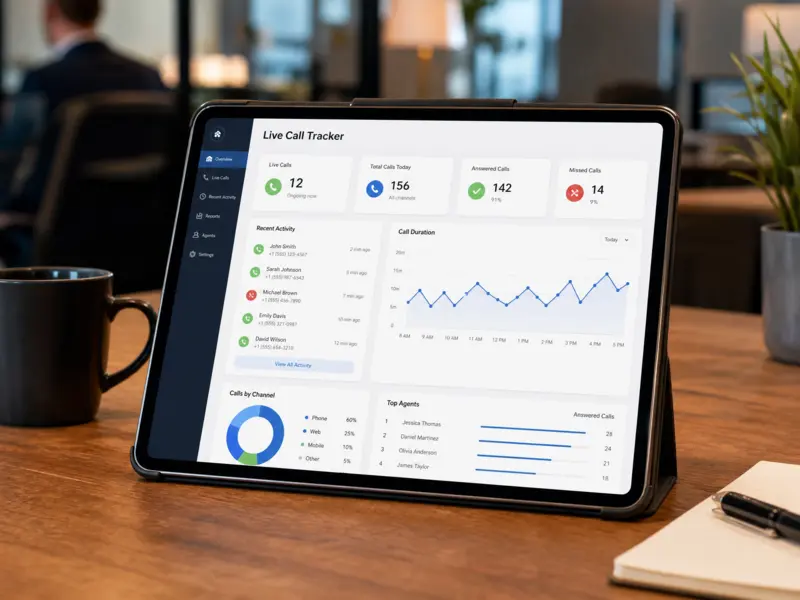
Businesses use live call tracking to monitor customer communication on company-owned devices. Teams can review call activity, improve response times, and maintain organized records for daily operations. Customer support teams benefit from quick access to recent call information. This helps them follow up with customers and deliver better service. Many users rely on these apps to boost productivity. They spend less time searching through call logs and more time focusing on important tasks.
Some people also use live call tracker apps for record keeping on their own devices. These apps help organize communication history without replacing official business records. They should only monitor devices owned by the user or managed with proper authorization and consent.
Is a Live Call Tracker Safe and Legal?
A live call tracker is generally safe when you choose a trusted app and use it as intended. Download apps from official stores, such as the Google Play Store, whenever possible. Official stores review apps and provide regular security updates.
Always read the app’s privacy policy before installation. It explains what data the app collects, how it uses that information, and whether it shares data with third parties. Choose apps that collect only the permissions needed for their features. Android requires users to grant permissions before an app can access call logs or related information. Review these permissions carefully and disable any you do not want to share.
Consent is equally important. Only use a live call tracker on your own device or on devices you manage with the owner’s knowledge and permission. Privacy laws differ by country and region. Before using any call-tracking app, make sure your use complies with the laws that apply where you live.
Device Compatibility and Requirements
Most live call tracker apps support modern Android devices, but compatibility varies by app version. Always check the developer’s requirements before installation. A device with enough free storage and at least 2 GB of RAM usually delivers smoother performance. Battery usage remains low for most optimized apps, although background activity may increase power consumption. Some features also require a stable internet connection for data synchronization and updates. Before using the app, grant the required Android permissions, such as access to call logs and notifications, so it can function correctly.
How to Install a Live Call Tracker
Installing a live call tracker takes only a few minutes. Follow these simple steps:
- Download the app from a trusted source, preferably the Google Play Store.
- Open the downloaded file and complete the installation.
- Grant the required Android permissions, including call logs and notifications, if prompted.
- Configure the app settings to match your preferences.
- Make a test call or review recent call activity to verify that the app works correctly.
If the app does not function as expected, check that all required permissions are enabled and that your device meets the app’s compatibility requirements.
Common Issues and Troubleshooting
Most live call tracker issues have simple solutions. If the app cannot access call information, check that all required Android permissions are enabled. Missing notifications often result from disabled notification settings or restricted background activity. If data does not sync, confirm that your internet connection is stable and that synchronization is turned on. Battery optimization may stop background services, so add the app to the battery optimization exception list if needed. If the app crashes, restart your device and install the latest app update. When problems continue, reinstall the app or contact the developer through the official support channel for further assistance.
Frequently Asked Questions
What is a live call tracker?
A live call tracker is an app that helps users view and organize call activity on their own devices. It displays recent calls, call logs, and related information in real time.
How does live call tracking work?
The app uses Android permissions to access call logs and call events. It processes this information and displays updates through an organized dashboard and notifications.
Is a live call tracker legal?
Yes, using a live call tracker on your own device is generally legal. Always obtain permission before managing another person’s device and follow the laws in your country.
Does it require internet access?
Basic call log features may work offline. However, cloud synchronization, backups, and some real-time updates often require a stable internet connection.
Is it available for Android?
Yes. Many live call tracker apps support Android smartphones. Always check the app’s compatibility requirements before downloading or installing it.
Can it track old call history?
Most apps can display existing call history stored on your device if you grant the required permissions. The available history depends on your phone’s stored records.
Is it safe to install APK versions?
Install APK files only from trusted and verified sources. Official app stores remain the safest option because they perform security checks and provide regular updates.
What permissions are required?
Most live call tracker apps request permissions for call logs, notifications, and related phone features. Review every permission carefully before granting access to protect your privacy.
Final Thoughts
A live call tracker helps users organize call activity, manage communication, and access important call information more efficiently. It can benefit individuals, professionals, and businesses that want better control over their daily calls. Always choose a reputable app from a trusted source and review its privacy policy before installation. Use the app only on devices you own or manage with proper consent. Keep the app and your Android device updated to improve security, performance, and compatibility. Responsible use and informed choices will help you get the best experience while protecting your privacy.