
SIM Owner Details Code: How to Check SIM Registration
A SIM owner details code is a USSD or verification code that helps users check SIM registration information through official telecom services. There is no single sim owner details code that works worldwide. Every country and mobile network follows its own rules and verification system. Telecom authorities such as the Pakistan Telecommunication Authority (PTA), Telecom Regulatory Authority of India (TRAI), Communications, Space & Technology Commission (CST), and Telecommunications and Digital Government Regulatory Authority (TDRA) support different methods.
SIM Owner Details Guide
Official Verification Methods by Country & Operator
Some providers use USSD codes, while others offer online portals, mobile apps, or customer support. You can only access your own SIM registration details through authorized channels. Privacy laws protect subscriber information, so you cannot legally view another person’s SIM records without proper authorization.
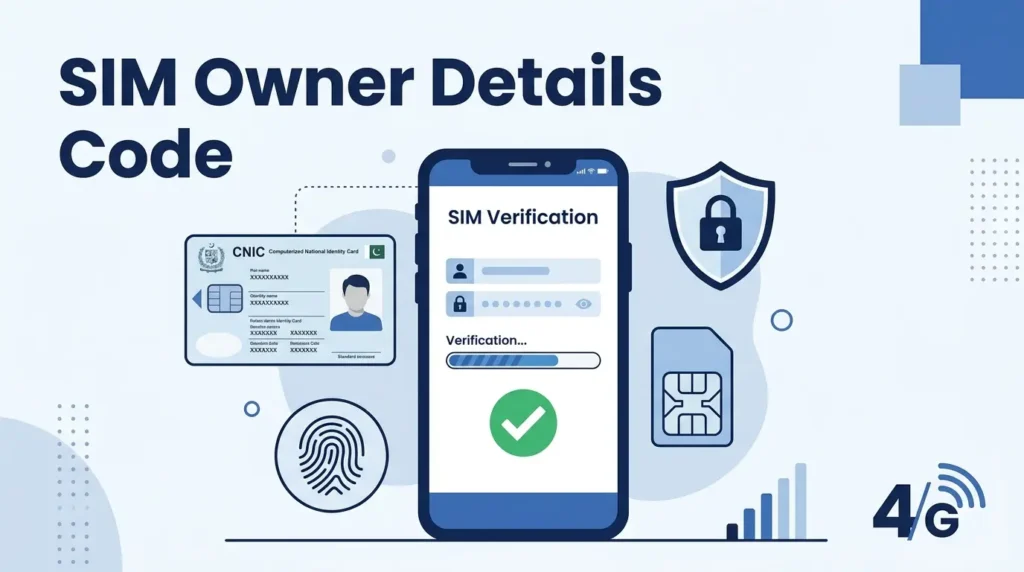
What is a SIM Owner Details Code?
A SIM owner details code is an official verification code that helps users check the registration status of their SIM card. Most telecom providers offer this service through a USSD code, SMS, mobile app, or online portal. The available method depends on your country, mobile carrier, and local telecom regulations.The main purpose of a SIM owner details code is to confirm that a mobile number is registered under the correct identity. This process helps prevent identity fraud, unauthorized SIM use, and illegal mobile connections. It also allows users to review the SIM cards linked to their national identity before they become a security risk.
Telecom companies connect these verification methods to their subscriber registration systems. They compare your identity with the information collected during SIM registration and eKYC. The system then returns basic registration details or confirms whether the SIM belongs to you.A SIM owner details code is different from a public database lookup. Official codes access secure telecom records after verifying your identity. Public lookup websites often rely on outdated, incomplete, or unauthorized information. Many cannot verify SIM ownership accurately. For this reason, telecom regulators recommend using only official verification services.
SIM Owner Code Meaning
A SIM owner code is an operator-issued verification code that helps confirm SIM registration information. In most cases, the code opens a secure verification service instead of displaying personal subscriber data. Some networks use USSD codes, while others provide SMS services or online verification portals.
Why Users Search for SIM Codes
People search for SIM owner codes for several reasons. They may want to verify a newly purchased SIM card, check how many SIMs are registered on their identity, confirm ownership before mobile banking, or detect unauthorized registrations. Businesses also verify employee SIM registrations to improve security and maintain regulatory compliance.
Is There a Universal SIM Owner Code?
No. There is no universal SIM owner details code. Every country and mobile carrier follows its own verification system. Some operators provide USSD codes, while others use SMS services, official websites, mobile apps, or customer support. The safest method always comes from your telecom operator or government telecom authority.
How SIM Owner Details Codes Work
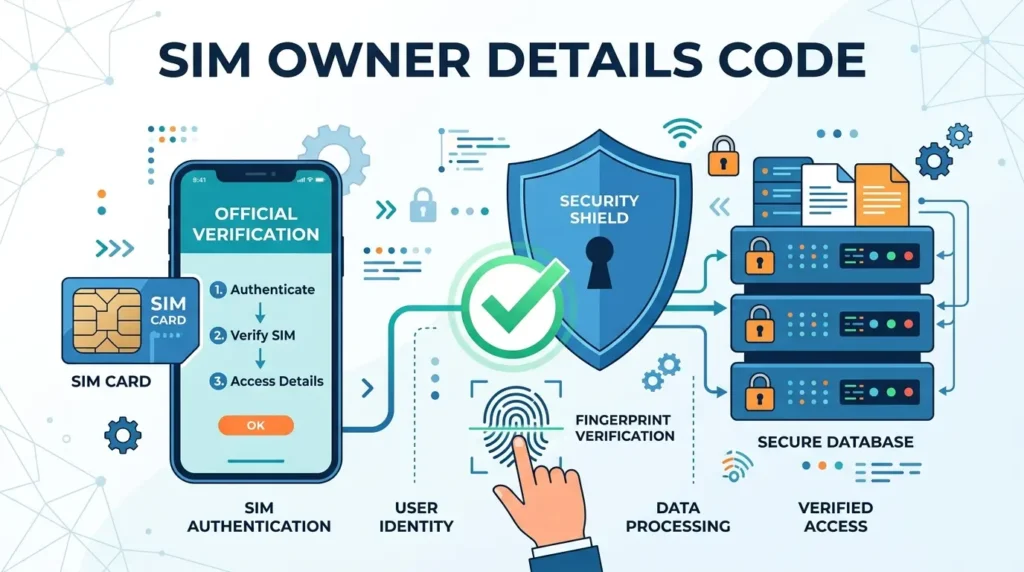
SIM owner verification follows a secure process designed by telecom operators and government regulators. Although the verification method differs between countries, the basic workflow remains similar.A user begins the process by dialing a USSD code, sending an SMS, opening an official telecom portal, or using a mobile app. The request reaches the network provider, where the system checks the subscriber’s registration records.
The operator compares the request with its subscriber database and verifies the registered identity through eKYC, national registration, or other approved identity verification systems. Depending on local regulations, the service may confirm the registration status, display the number of SIM cards linked to an identity, or direct the user to additional verification steps.This process protects customer privacy because operators do not disclose another person’s personal information. Instead, they verify only the records that belong to the authenticated user.
How the Verification Process Works
- Enter the official USSD code or use an approved verification method.
- The request reaches your mobile carrier’s secure network.
- The system checks the SIM registration records.
- Identity verification takes place through eKYC or national registration data.
- The operator confirms the registration status.
- The result appears through USSD, SMS, a mobile app, or an official telecom portal.
Technologies Behind SIM Verification
Modern SIM verification combines several technologies to improve accuracy and security.
- USSD Codes provide instant network-based verification.
- SMS Verification confirms requests through registered mobile numbers.
- Carrier Database stores subscriber registration records.
- eKYC validates customer identity during SIM registration.
- National Registration links verified identities with authorized mobile services.
- Telecom Verification confirms subscriber information through licensed operators.
- Mobile Authentication protects user accounts from unauthorized access.
- Subscriber Database maintains official registration records for each SIM card.
Together, these systems help telecom operators reduce fraud, improve identity verification, strengthen mobile authentication, and ensure every subscriber identity matches the registered customer.
Official SIM Owner Details Codes by Country
There is no global SIM owner details code that works everywhere. Every country follows its own telecom regulations and identity verification process. Mobile operators also use different verification methods based on local laws.Some providers offer USSD codes for quick verification. Others rely on SMS services, mobile apps, official telecom portals, or customer support. Always use the verification method provided by your network operator or telecom regulator.The sections below explain the official verification options in major countries.
Pakistan
Pakistan follows strict SIM registration rules under the Pakistan Telecommunication Authority (PTA). Every SIM card must link to a valid CNIC through biometric verification. This process improves mobile security and reduces identity fraud.If you want to verify your SIM registration, use only official PTA services or your mobile operator’s verification channels. Operators may provide USSD codes, SMS services, mobile apps, or customer support for account verification.
Pakistan’s major mobile operators include:
- Jazz
- Zong
- Ufone
- Telenor Pakistan
Keep in mind that SIM owner details codes may change over time. Operators can update or replace verification methods without notice. Always confirm the latest USSD code or verification process through your operator’s official website, customer support, or the PTA.
India
India regulates SIM registration through the Telecom Regulatory Authority of India (TRAI). Users can also manage mobile connections through Sanchar Saathi and TAFCOP, which help identify mobile numbers linked to their identity.
Major Indian mobile operators include:
- Airtel
- Reliance Jio
- Vodafone Idea (Vi)
- BSNL
Most operators offer verification through customer support, mobile apps, SMS services, or official online portals. The available method depends on your operator and service plan.
Saudi Arabia
Saudi Arabia manages SIM registration under the Communications, Space & Technology Commission (CST). Every mobile connection requires identity verification before activation.
The country’s leading mobile carriers include:
- STC
- Mobily
- Zain Saudi Arabia
Customers can verify their SIM registration through official operator apps, websites, customer service, or other approved verification channels. Verification methods may vary between providers.
United Arab Emirates (UAE)
The Telecommunications and Digital Government Regulatory Authority (TDRA) oversees mobile registration across the UAE. Licensed operators verify customer identities before activating new SIM cards.
The main mobile operators are:
- Etisalat
- du
Customers should use official operator websites, mobile applications, or customer support to verify SIM registration details. Third-party databases cannot replace these authorized verification services.
Important: There is no universal SIM owner details code for all countries or networks. Always verify your SIM through your telecom operator or the official telecom authority. This approach protects your personal information and ensures accurate registration records.
How to Check SIM Owner Details Using Official Codes
You should always use official verification methods to check your SIM registration. These methods protect your personal information and provide accurate results. The exact process depends on your country and mobile operator, but the steps below apply in most cases.
Step 1: Use the Official Verification Method
Dial the official USSD code, send an SMS, or open the telecom operator’s official website or mobile app. Use only the verification method recommended by your network provider or telecom authority.
Step 2: Verify Your Identity
Enter the requested information. This may include your mobile number, CNIC, Aadhaar, national ID, or a one-time password (OTP). Some operators also use eKYC for secure identity verification.
Step 3: Submit Your Request
After entering the required details, submit your request. The telecom system checks your SIM registration against the operator’s subscriber database.
Step 4: Review the Verification Result
The system displays your registration status. Depending on local regulations, you may see confirmation that the SIM belongs to you or the number of SIM cards registered under your identity.
Expected Result
If your information matches the official records, the system confirms your registration. Some services also display active SIM connections linked to your national identity.
Verification Tips
- Use only official telecom websites and mobile apps.
- Verify your identity with accurate information.
- Keep your registered mobile number active.
- Follow the instructions provided by your operator.
Troubleshooting
If verification fails, try these solutions:
- Confirm that you entered the correct mobile number or national ID.
- Check your network connection.
- Update your operator’s mobile app.
- Retry after a few minutes if the service is busy.
- Contact your operator’s customer support if the problem continues.
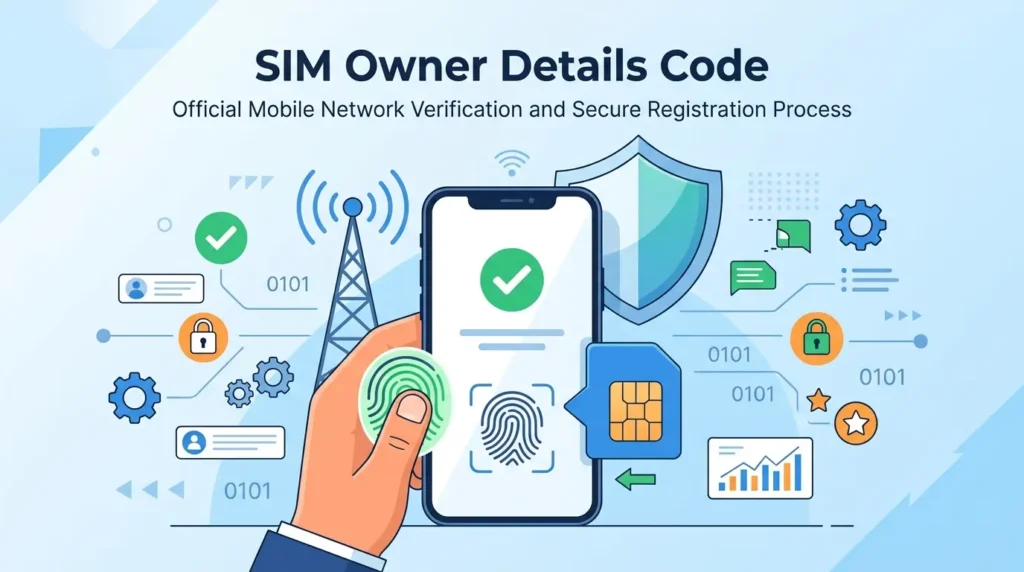
How to Check SIM Registration Without a Code
Many telecom providers offer secure verification without using a USSD code. These methods often provide more detailed information and work across multiple devices.
Official Telecom Portals
Most operators provide secure online portals where customers can verify SIM registration after signing in. These portals often display account details, registered numbers, and available mobile services.
Telecom Websites
Official operator websites allow customers to verify their mobile accounts through secure login or one-time password verification. Always confirm that you are visiting the official website before entering personal information.
Government Portals
Several countries provide government-managed SIM verification platforms. These services help users review mobile numbers registered under their national identity while following local privacy laws.
Customer Care
Customer support representatives can verify your SIM registration after confirming your identity. Keep your national ID and registered mobile number available before contacting support.
SIM Registration Apps
Many operators offer official mobile applications for Android and iPhone. These apps allow customers to manage accounts, verify SIM registration, update personal information, and request additional services.
Identity Verification
Every official verification method requires identity confirmation. Depending on your country, operators may use CNIC, Aadhaar, national ID, biometric verification, eKYC, or an OTP before displaying registration information.
SIM Owner Details Codes by Telecom Operator
The verification method differs by telecom operator. Some networks provide USSD codes, while others rely on SMS services, mobile apps, customer support, or online portals. Because operators update their services regularly, always verify the latest method through official channels.
Jazz
Jazz customers can verify SIM registration through official Jazz services, including customer support, the Jazz World app, or other approved verification methods. Check Jazz’s official website for the latest USSD or SMS options.
Zong
Zong offers SIM verification through its official customer services and digital platforms. Use only authorized Zong channels to confirm your registration status.
Ufone
Ufone users can verify SIM registration through official Ufone support, mobile services, or online account management. Follow the instructions published by Ufone for the latest verification process.
Telenor Pakistan
Telenor Pakistan provides secure verification through customer support and official digital services. Always use Telenor’s approved verification channels to protect your account.
Airtel
Airtel customers can review SIM registration through Airtel’s official app, website, or customer care. Verification methods may change based on service availability.
Reliance Jio
Jio users can manage and verify mobile services through the MyJio app and official customer support. Identity verification protects subscriber information.
Vodafone Idea
Vi customers should use the Vi app, website, or customer support to verify mobile registration and account details.
BSNL
BSNL provides customer verification through official support channels and online services. Follow the latest guidance available on the BSNL website.
STC
STC customers in Saudi Arabia can verify SIM registration through the MySTC app, official website, or customer support after identity verification.
Mobily
Mobily offers secure account management through its mobile app, website, and customer service. Users should rely only on official Mobily verification methods.
Zain Saudi Arabia
Zain customers can verify mobile registration through official Zain digital services or customer support. Verification requires confirmation of the registered identity.
Etisalat
Etisalat customers in the UAE can manage SIM registration through the official Etisalat app, website, or customer service after completing identity verification.
du
du provides secure SIM verification through its official app, website, and customer support. Customers should avoid unofficial websites that claim to provide subscriber information.
Important: Telecom operators regularly update their verification methods, USSD codes, SMS services, and digital platforms. Always check the latest information through your operator’s official website or your country’s telecom regulator before using any SIM owner details code.
Can You Check Someone Else’s SIM Owner Details?
No. In most countries, you cannot legally check another person’s SIM owner details without proper authorization. Telecom operators protect subscriber information under privacy laws and telecommunications regulations.SIM registration records contain personal information. Mobile operators cannot share these records with the public. They verify only the identity of the registered subscriber or an authorized representative.Most countries require users to complete identity verification before accessing SIM registration details. This process protects customers from identity theft, fraud, and unauthorized account access.
You may be allowed to verify SIM ownership in limited situations, such as:
- Checking SIM cards registered under your own identity.
- Verifying a business-owned SIM with proper authorization.
- Responding to a request from a telecom operator.
- Complying with a lawful request from a government agency.
Avoid websites or apps that promise to reveal another person’s SIM owner information. These services often violate privacy laws and may expose your personal data to criminals.
Quick Answer: You can verify your own SIM registration through official telecom services. You cannot legally access another person’s subscriber details without proper authorization.
Why Many Websites Claim to Show SIM Owner Details
Many websites advertise instant access to SIM owner information. Most of these claims are misleading.Some sites use outdated or incomplete databases. Others display publicly available information and present it as verified subscriber data. These methods cannot confirm current SIM ownership.
Other websites collect personal information instead of providing accurate verification. They may ask for your mobile number, national ID, or payment details. This practice increases the risk of identity theft and financial fraud.
Common Risks
- Fake subscriber databases
- Phishing websites
- Malware downloads
- Identity theft
- Financial scams
- Unauthorized data collection
- Outdated or inaccurate records
Some services also rely on information from old data leaks. These records may contain incorrect details and should never be treated as official proof of ownership.The safest approach is simple. Use only your telecom operator’s official verification service or your country’s telecom authority. Official systems protect your privacy and provide accurate registration records.
Official Alternatives
Instead of using third-party websites, choose one of these trusted options:
- Official telecom operator websites
- Mobile carrier apps
- Government SIM verification portals
- Customer support centers
- Authorized telecom service centers
These services verify your identity before displaying any registration information. This process protects both your account and your personal data.
How to Verify Your Own SIM Registration
Verifying your own SIM registration is simple when you use official services. The exact process depends on your country and mobile operator, but the security steps remain similar. First, access your operator’s official verification method. This may include a USSD code, SMS service, mobile app, customer portal, or government verification website.
Next, confirm your identity. Depending on your location, you may need one of the following:
- CNIC (Pakistan)
- Aadhaar (India)
- National ID
- Passport or other approved identification
- One-Time Password (OTP)
After identity confirmation, the operator checks your information against its subscriber verification system. Many providers also use eKYC to confirm that your identity matches the registered SIM card. If your details match the official records, the system confirms your SIM registration. Some services also display the number of active SIM cards linked to your identity.
Best Practices
- Verify your SIM only through official channels.
- Keep your identity documents up to date.
- Never share OTPs with anyone.
- Review your registered SIMs regularly.
- Report unknown mobile numbers immediately.
Regular verification helps protect your identity, improves account security, and ensures your SIM registration remains accurate.
Benefits of Official SIM Verification
Official SIM verification does more than confirm ownership. It protects your identity, strengthens account security, and helps telecom providers maintain accurate subscriber records. Using authorized verification methods also reduces the risk of fraud and unauthorized mobile activity.
Better Security
Official verification confirms that your SIM card belongs to the correct subscriber. This process prevents unauthorized users from activating or managing your mobile number.
Fraud Prevention
Criminals often target unverified mobile numbers for scams and financial fraud. Regular verification helps detect unauthorized SIM registrations before they cause serious problems.
Identity Protection
Your SIM card links to sensitive services such as banking, email, and social media. Verifying your registration helps protect your personal identity from misuse.
Spam Prevention
Verified subscriber records make it harder for fraudsters to activate anonymous SIM cards. This reduces spam calls, phishing attempts, and unwanted text messages.
Easier Lost SIM Recovery
If you lose your SIM card, accurate registration records help your mobile carrier verify your identity and issue a replacement more quickly.
Safer Mobile Banking
Many banks use your registered mobile number for one-time passwords (OTPs) and transaction alerts. A properly verified SIM helps keep your banking services secure.
Government Compliance
Many countries require telecom operators to register every active SIM card. Official verification ensures that your mobile connection meets national telecom regulations and identity requirements.
Why Regular Verification Matters
Checking your SIM registration regularly helps you:
- Detect unauthorized SIM cards.
- Protect your digital identity.
- Improve account security.
- Support secure mobile banking.
- Maintain accurate subscriber records.
- Comply with local telecom regulations.
Common Problems and Solutions
SIM verification usually takes only a few minutes. However, technical issues or incorrect information can interrupt the process. The solutions below resolve the most common problems.
USSD Code Not Working
- Temporary network issue
- Incorrect USSD code
- Service unavailable
- Operator maintenance
Solution
- Confirm the latest code on your operator’s official website.
- Restart your phone.
- Check your network signal.
- Try again after a few minutes.
- Contact customer support if the problem continues.
Invalid SIM Code
- Outdated verification code
- Typing error
- Unsupported service
Solution
- Enter the code exactly as provided.
- Verify the latest code through your operator.
- Use the official mobile app or website if the USSD service is unavailable.
No Registration Found
- SIM is not registered.
- Registration records need updating.
- Incorrect identity information.
Solution
- Verify your national ID details.
- Visit an authorized service center.
- Complete SIM registration if required.
SIM Registered to Another Person
- Old ownership records
- Incorrect registration
- Identity misuse
Solution
- Contact your telecom operator immediately.
- Request ownership verification.
- Report unauthorized registrations to the appropriate telecom authority if necessary.
Verification Failed
- Identity mismatch
- Incorrect personal information
- Temporary system issue
Solution
- Confirm your registered identity details.
- Complete any required eKYC verification.
- Try again later if the system is temporarily unavailable.
Network Error
- Weak mobile signal
- Service outage
- Temporary server problem
Solution
- Move to an area with better coverage.
- Switch mobile data or Wi-Fi if using an app.
- Retry after the network stabilizes.
Unsupported Operator
- Your carrier does not support the selected verification method.
- You entered the wrong operator information.
Solution
- Choose the correct mobile carrier.
- Use the verification method recommended by your operator.
- Contact customer support for assistance.
Multiple SIMs Registered Under One Identity
Many countries allow several SIM cards under a single verified identity. However, unexpected numbers may indicate unauthorized registrations.
Solution
- Review all active SIM cards linked to your identity.
- Deactivate numbers you no longer use.
- Report unknown SIM cards to your telecom operator immediately.
- Monitor your mobile accounts regularly for unusual activity.
Pro Tip: If an official USSD code or SMS service does not work, use your operator’s website, mobile app, or customer support. These channels often provide the most accurate and up-to-date SIM verification services.
Safety Tips Before Using Any SIM Owner Details Code
A SIM owner details code can help you verify your SIM registration, but only when you use trusted sources. Many websites and apps promise instant results. Most of them are unreliable and may put your personal information at risk.
Before you enter your mobile number or identity details, make sure you are using an official verification service.
Never Use Illegal Databases
Avoid websites that claim to provide private subscriber information. These databases often contain outdated, stolen, or fabricated records. Using them may violate privacy laws and expose your personal data.
Avoid Fake Mobile Apps
Some apps imitate official telecom services. Their goal is to collect your mobile number, passwords, or identity documents.
Before installing any app:
- Check the developer’s name.
- Read recent user reviews.
- Download only from trusted app stores.
- Confirm that your telecom operator publishes the app.
Do Not Install Unknown APK Files
APK files from unofficial websites can contain malware or spyware. Once installed, they may steal passwords, banking information, contacts, or verification codes.
Install apps only from official sources such as the Google Play Store or Apple App Store.
Stay Away from Telegram Bots
Many Telegram bots claim to reveal SIM owner details within seconds. These services cannot access official telecom databases. Some collect personal information, while others attempt financial fraud.
No legitimate telecom operator verifies SIM ownership through Telegram bots.
Avoid Paid Lookup Scams
Be cautious if a website asks for payment before showing SIM owner information. Official telecom operators and government verification platforms do not sell subscriber data to the public.
A payment request is often a warning sign of a scam.
Use Official Verification Services Only
The safest way to verify your SIM registration is through authorized channels.
Choose one of these trusted options:
- Official telecom operator websites
- Mobile carrier apps
- Government verification portals
- Customer support centers
- Authorized telecom service outlets
These services protect your privacy, verify your identity, and provide accurate registration information.
Safety Tip: Never share your One-Time Password (OTP), CNIC, Aadhaar, National ID, or account password with unofficial websites, apps, or individuals.
SIM Owner Details Code vs Online Verification
Both methods help verify SIM registration, but they work differently. The table below compares the most important factors.
| Method | Accuracy | Security | Privacy | Legal | Availability | Speed |
| Official USSD Code | Very High | Very High | Excellent | Fully Legal | Supported by many operators | Instant |
| Official SMS Verification | Very High | Very High | Excellent | Fully Legal | Available on selected networks | Fast |
| Official Telecom Portal | Very High | Very High | Excellent | Fully Legal | 24/7 online access | Fast |
| Official Mobile App | Very High | Very High | Excellent | Fully Legal | Android and iOS | Fast |
| Customer Support | High | Very High | Excellent | Fully Legal | Business hours or 24/7 | Moderate |
| Government Verification Portal | Very High | Very High | Excellent | Fully Legal | Available in supported countries | Fast |
| Third-Party Lookup Website | Low | Low | Poor | Often Unclear | Widely Available | Fast but Unreliable |
| Unofficial Database or Telegram Bot | Very Low | Very Low | Very Poor | May Violate Local Laws | Easy to Find | Unreliable |
Which Method Should You Choose?
Official verification always provides the best combination of accuracy, security, and legal compliance. Whether you use a USSD code, SMS service, telecom portal, mobile app, or government website, you receive information directly from authorized sources.
Avoid third-party databases, unofficial lookup tools, and Telegram bots. They cannot guarantee accurate subscriber information and may compromise your privacy.
Official Government Verification Platforms
Many governments provide official platforms to help citizens verify SIM registrations. These services improve transparency, strengthen identity protection, and reduce unauthorized SIM usage. Always use these trusted platforms instead of third-party websites.
| Country | Telecom Authority | Official Portal | Verification Method |
| Pakistan | Pakistan Telecommunication Authority (PTA) | PTA SIM Information System | CNIC verification, SMS, online portal |
| India | Department of Telecommunications (DoT), Sanchar Saathi | Sanchar Saathi / TAFCOP | Aadhaar-linked verification, online portal |
| Saudi Arabia | Communications, Space & Technology Commission (CST) | CST Services and Operator Portals | National ID verification through operators |
| United Arab Emirates | Telecommunications and Digital Government Regulatory Authority (TDRA) | TDRA and Licensed Operator Portals | Emirates ID verification through operators |
These platforms help users:
- Verify active SIM registrations.
- Review mobile numbers linked to their identity.
- Report unauthorized SIM cards.
- Improve account security.
- Support national telecom compliance.
Always access these services through the official government website or your licensed mobile operator.
Latest Changes in SIM Registration Rules (2026)
SIM registration continues to evolve as governments strengthen digital security and identity protection. Many countries have introduced stricter verification requirements to reduce fraud and improve subscriber authentication.
eKYC Is Becoming the Standard
More telecom providers now use electronic Know Your Customer (eKYC) systems. These systems verify customer identities through secure digital processes before activating a SIM card.
Stronger Identity Verification
Operators now require verified identity documents before issuing new mobile connections. Depending on the country, this may include a CNIC, Aadhaar, National ID, passport, or biometric verification.
Growth of Digital Identity
Many governments are integrating digital identity systems with telecom services. This approach speeds up SIM activation while improving accuracy and reducing duplicate registrations.
Stricter Government Regulations
Telecom regulators continue to strengthen SIM registration policies. These rules help prevent identity theft, financial fraud, spam campaigns, and criminal misuse of mobile services.
Improved Telecom Compliance
Licensed operators must maintain accurate subscriber records and update registration data when customers change ownership or personal information. Regular audits also improve data quality.
Future Verification Methods
Future SIM verification will rely more on secure technologies, including:
- Advanced eKYC systems
- Biometric authentication
- Digital identity platforms
- AI-assisted fraud detection
- Real-time subscriber verification
- Secure cloud-based registration systems
These technologies will improve security while making verification faster and more reliable.
Frequently Asked Questions
What is the SIM owner details code?
A SIM owner details code is an official USSD code or verification method that helps you check your SIM registration through your telecom operator or government-approved service.
Is there a universal SIM owner code?
No. Every country and mobile operator uses its own verification system. There is no single code that works worldwide.
Can I check SIM owner details online?
Yes. Many telecom operators and government agencies provide secure online portals for SIM verification after identity confirmation.
Is it legal to check SIM owner details?
Yes, but only for your own SIM cards or when you have legal authorization. Privacy laws protect subscriber information.
Can I verify a SIM using USSD?
Yes. Many operators offer USSD-based verification services. Availability depends on your country and mobile network.
Can I check SIM owner with CNIC?
Yes. In Pakistan, official services allow eligible users to verify SIM registrations linked to their CNIC.
Can I verify SIM registration with Aadhaar?
Yes. In India, telecom services use Aadhaar or other approved identity verification methods where permitted by law.
How do I know how many SIMs are registered on my ID?
Use your country’s official telecom verification portal or your mobile operator’s approved verification service.
Which code works for Jazz?
Jazz updates its verification methods when needed. Always check the latest information through Jazz’s official website or customer support.
Which code works for Zong?
Use the verification method published by Zong through its official website, mobile app, or customer support.
Which code works for Airtel?
Airtel customers should verify SIM registration through Airtel Thanks, the official website, or customer care.
Which code works for Jio?
Jio users can verify their mobile services through the MyJio app or official customer support.
Which code works for STC?
STC customers should use the MySTC app, official website, or customer support for SIM verification.
How do I verify a Mobily SIM?
Use the official Mobily app, website, or customer support after completing identity verification.
Can I check another person’s SIM owner details?
No. Telecom operators protect subscriber information under privacy and telecommunications laws.
Why is my USSD code not working?
The code may have changed, your network may have a temporary issue, or your operator may use another verification method.
How do telecom verification systems work?
They compare your identity with official subscriber records after verifying your credentials through secure systems.
What is eKYC?
eKYC stands for Electronic Know Your Customer. It verifies customer identities through secure digital verification processes.
Can fake apps show SIM owner details?
No. Fake apps cannot access official telecom databases. Many exist only to collect personal information.
Is SIM verification free?
Many operators provide basic SIM verification without additional charges. However, policies vary by country and provider.
Final Thoughts
A SIM owner details code helps you verify your SIM registration through trusted telecom services. There is no universal code because every country follows its own regulations and verification process. Always choose official verification methods provided by your telecom operator or government authority. These services protect your privacy and deliver accurate subscriber information.
Avoid unauthorized databases, fake mobile apps, Telegram bots, and paid lookup websites. They cannot guarantee reliable results and may expose your personal information. Make SIM verification part of your regular digital security routine. Review the mobile numbers linked to your identity, report unknown registrations, and keep your subscriber information up to date. Staying informed about the latest telecom regulations helps protect your identity and ensures your mobile services remain secure.