
NADRA SIM Owner Details – Official Ways to Verify SIM Registration in Pakistan (2026)
NADRA SIM Verification
Official CNIC-Linked SIM Records Guide – 2026
Syncing with Database…
Verifying CNIC-linked records…
For security reasons, direct database access is restricted. Follow these official NADRA/PTA steps.
Recommended Verification Process
Many people search for NADRA SIM owner details when they want to verify a mobile number or check SIM registration. They often believe NADRA provides a public database to look up SIM owners. That is not correct. NADRA verifies your identity through your Computerized National Identity Card (CNIC) and biometric systems. It does not offer a public service to search another person’s SIM owner details. Instead, the Pakistan Telecommunication Authority (PTA) manages SIM registration, while mobile operators such as Jazz, Zong, Ufone, Telenor Pakistan, and SCO issue and maintain subscriber records. Every new SIM must complete identity and biometric verification before activation.
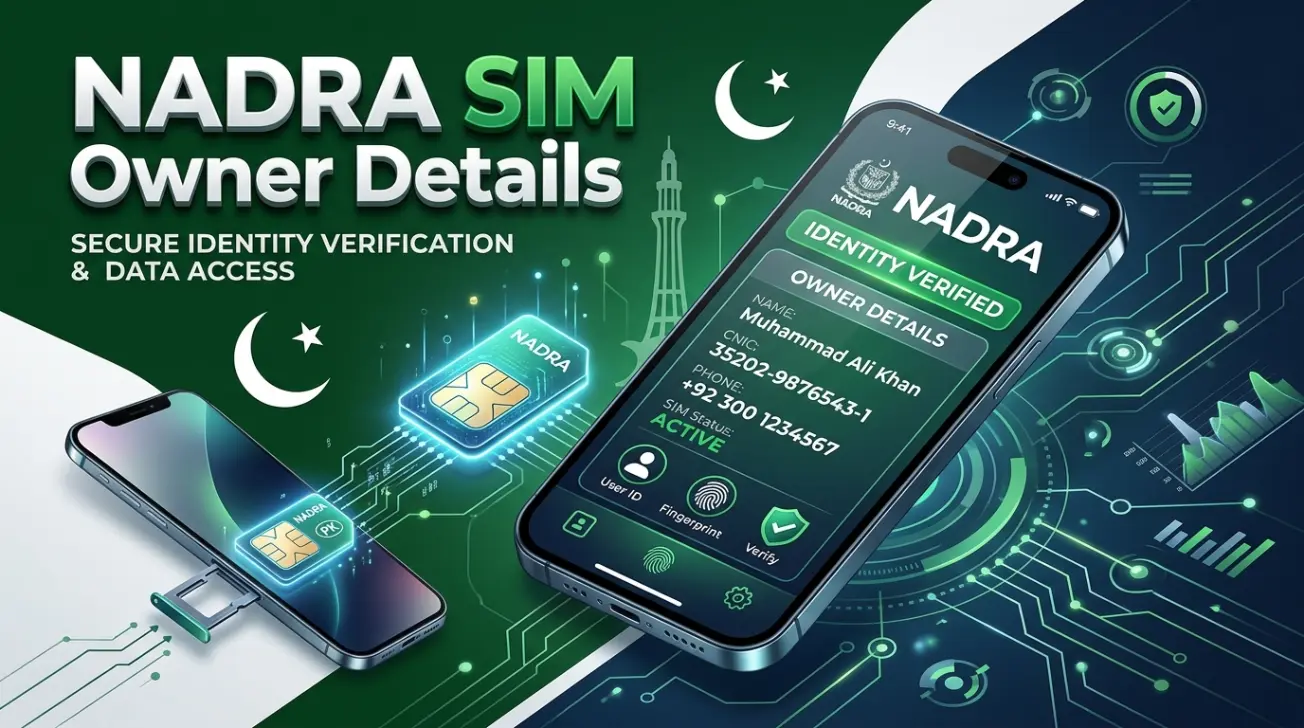
This guide explains how SIM registration works in Pakistan. You will learn the official ways to verify SIM ownership, check SIMs linked to your CNIC, understand biometric verification, remove unauthorized SIMs, and protect your digital identity. We also explain common myths about the so-called NADRA SIM database and show the legal methods approved by Pakistani authorities. Every recommendation in this guide relies on official regulations and trusted verification processes. We do not promote unofficial databases, leaked records, or illegal SIM lookup services because they may violate privacy laws and provide inaccurate information.
What Are NADRA SIM Owner Details?
Definition
NADRA SIM owner details refer to information people believe they can access about a SIM card through NADRA. In most cases, they want to verify who owns a mobile number or check whether a SIM is registered against a CNIC.
In reality, NADRA does not provide a public SIM owner lookup service. NADRA verifies a person’s identity through its national identity database and biometric systems. PTA regulates SIM registration, while licensed telecom operators maintain subscriber accounts. NADRA Verification Services
Why People Search This Keyword
People search NADRA SIM owner details for several reasons. Most users want to protect their identity or confirm SIM ownership.
Common reasons include:
- Check SIMs registered against a CNIC.
- Find unauthorized SIM registrations.
- Verify a newly purchased SIM.
- Confirm mobile number ownership.
- Report identity misuse or SIM fraud.
- Complete telecom verification.
- Understand biometric SIM verification.
- Protect personal and financial accounts.
Many users also search this term because they believe NADRA manages every part of the SIM registration process. The system actually involves multiple government and telecom organizations working together.
Common Misconceptions
Several myths surround NADRA SIM verification. These misunderstandings often lead users to unsafe websites.
Here are the most common misconceptions:
- NADRA has a public SIM owner database.
- Anyone can search another person’s SIM details.
- A phone number alone reveals the owner’s identity.
- Third-party SIM lookup websites use official government records.
- Mobile apps can legally display complete SIM owner information.
These claims are false. Official authorities protect subscriber information under privacy and telecom regulations. Unauthorized databases may contain outdated or inaccurate data. They can also expose users to fraud and identity theft.
Official Meaning
Officially, NADRA SIM owner details do not describe a public government service. The phrase usually refers to the legal process of verifying a subscriber’s identity during SIM registration.
When you purchase a SIM card, the telecom operator verifies your CNIC and biometric information through approved identity verification systems. After successful verification, the operator activates the SIM according to PTA regulations. NADRA supports identity authentication, but it does not publish subscriber records for public access.
Who Maintains SIM Records?
Several organizations play different roles in Pakistan’s SIM registration system.
| Organization | Primary Responsibility |
| NADRA | Verifies identity through CNIC and biometric authentication. |
| PTA | Regulates SIM registration, telecom compliance, and verification policies. |
| Jazz, Zong, Ufone, Telenor Pakistan, and SCO | Register subscribers, activate SIM cards, and maintain customer records. |
This shared system improves security and reduces identity fraud. It also ensures every active SIM links to a verified identity through the required registration process.
Does NADRA Provide SIM Owner Details?
NADRA does not provide a public service that lets anyone search SIM owner details by phone number or CNIC. If you search for NADRA SIM owner details online, you may find websites claiming to offer this service. Those claims are misleading.
Instead, NADRA helps verify a person’s identity during the SIM registration process. It works with the Pakistan Telecommunication Authority (PTA) and licensed telecom operators to support secure subscriber registration. This process protects both users and mobile networks. Official sources do not allow public access to another person’s subscriber information.
What NADRA Does
NADRA plays an important role in Pakistan’s digital identity system.
Its responsibilities include:
- Issues and manages Computerized National Identity Cards (CNICs).
- Verifies a person’s identity during SIM registration.
- Supports biometric identity authentication.
- Helps prevent identity fraud and fake registrations.
- Provides identity verification services for approved organizations.
- Supports secure eKYC and digital verification processes.
These services help telecom operators confirm that every SIM links to a verified identity.
What NADRA Doesn’t Do
NADRA does not manage public SIM ownership records.
It does not:
- Provide a public SIM owner lookup tool.
- Reveal another person’s SIM details.
- Share subscriber information with the public.
- Allow phone number searches by name or CNIC.
- Publish a searchable SIM owner database.
If a website promises instant NADRA SIM owner details, avoid using it. It may contain false information or misuse personal data.
Identity Verification
Identity verification confirms that the applicant is the real owner of the submitted CNIC. When you apply for a new SIM, the telecom operator checks your identity through approved verification systems. This process reduces fake registrations and improves mobile security.
CNIC Verification
Every SIM registration starts with CNIC verification. The operator validates your CNIC before issuing a new SIM. If the identity record matches official information, the registration process moves to biometric verification. This step helps ensure that one person cannot register a SIM using someone else’s identity.
Biometric Authentication
Biometric authentication adds another layer of security. Your fingerprint confirms that you are the legitimate CNIC holder. Successful verification allows the operator to continue the registration process. This system reduces identity theft, fraudulent registrations, and unauthorized mobile connections.
Database Privacy
Subscriber information remains protected under Pakistan’s privacy and telecom regulations. NADRA protects identity records. PTA regulates telecom compliance. Mobile operators protect customer account information. These organizations do not publish subscriber data for public searches. You can only access information that relates to your own identity through official verification channels.
Why You Can Trust Official Verification
Official verification protects your privacy and personal information. Always use government-approved services when checking registered SIM details or verifying your identity. Avoid unofficial websites, leaked databases, and mobile apps that promise free SIM owner information. They often provide inaccurate data and may expose you to fraud or identity theft. Following official procedures also helps you comply with Pakistan’s telecom regulations and keeps your digital identity secure.
NADRA vs PTA — What’s the Difference?
Although many people use these names together, NADRA and PTA perform different functions. Telecom operators complete another important part of the registration process.
| Responsibility | NADRA | PTA | Mobile Operators |
| Purpose | Manages Pakistan’s national identity system. | Regulates the telecom sector. | Provides mobile network services and customer accounts. |
| SIM Records | Does not maintain public subscriber records. | Oversees SIM registration policies. | Maintains subscriber records for their customers. |
| CNIC | Issues and verifies CNICs. | Uses verified identity for regulatory compliance. | Confirms customer identity before registration. |
| Verification | Performs identity authentication. | Defines verification requirements. | Completes customer verification before activation. |
| Biometric | Supports fingerprint authentication. | Requires biometric compliance. | Captures biometric data during registration. |
| Registration | Supports identity verification only. | Regulates SIM registration nationwide. | Registers and activates new SIM cards. |
| Public Access | No public SIM lookup service. | No public access to subscriber records. | Shares customer information only through legal procedures. |
| Legal Authority | National identity authority. | National telecom regulator. | Licensed telecom service providers operating under PTA regulations. |
Understanding these roles helps avoid confusion. It also explains why no single organization offers a public SIM owner database.
How SIM Registration Works in Pakistan
Pakistan follows a secure SIM registration process to protect users from identity fraud and unauthorized mobile connections. Several organizations work together to verify every new subscriber before a SIM becomes active.
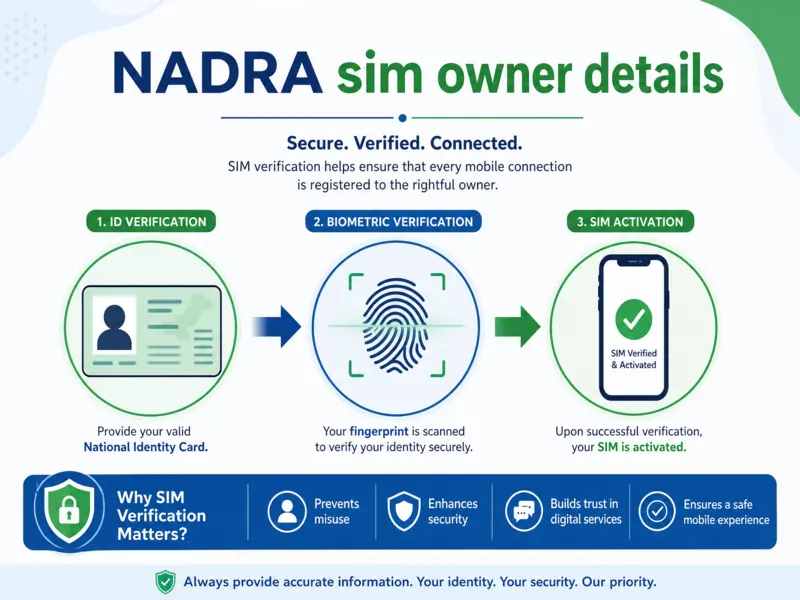
CNIC Verification
The process begins with your CNIC. You provide your original CNIC when requesting a new SIM. The telecom operator verifies the document through approved identity verification systems. If the information matches official records, the application moves to the next step.
Biometric Verification
After CNIC verification, you complete biometric authentication. The operator captures your fingerprint and verifies it through authorized systems. This confirms that the applicant is the legitimate CNIC holder. Biometric verification helps prevent fake identities, duplicate registrations, and SIM misuse.
Telecom Operator Verification
The mobile operator reviews your application after successful identity checks. Operators such as Jazz, Zong, Ufone, Telenor Pakistan, and SCO verify customer details before creating a subscriber account. They also ensure the registration follows PTA regulations.
PTA Database Synchronization
After successful registration, the operator updates the required subscriber information according to PTA’s regulatory framework. This process helps maintain accurate registration records and supports telecom compliance across Pakistan.
SIM Activation Process
The operator activates your SIM after all verification steps succeed. You can then access mobile calls, SMS, mobile data, and other network services. If any verification fails, the operator pauses activation until the issue is resolved. This multi-step process strengthens mobile security, supports subscriber verification, and helps protect users from identity theft and unauthorized SIM registrations.
Official Ways to Check SIM Owner Details
Many people search for NADRA SIM owner details to identify a mobile number owner. However, Pakistan does not offer a public SIM owner lookup service.
You can only verify SIM registration through official channels. These methods protect your privacy and comply with Pakistan’s telecom regulations. They also help you check registered SIM details linked to your own CNIC. Avoid websites or mobile apps that promise instant SIM owner information. Official authorities do not authorize these services.
The safest verification methods include:
- PTA SIM Information System
- Mobile network operators
- Customer service centers
- Authorized franchise outlets
- Official mobile applications
The following sections explain each method.
PTA SIM Information System
The PTA SIM Information System is the official service for checking how many SIM cards are registered against your CNIC. It helps users detect unauthorized SIM registrations and protect their digital identity.
Purpose
The system allows you to:
- Check active SIMs linked to your CNIC.
- Detect unauthorized registrations.
- Improve account security.
- Verify subscriber information legally.
- Monitor mobile registrations.
Requirements
Before using the service, you need:
- A valid CNIC number.
- Access to the official PTA verification service.
- Your own identity information.
You cannot use this system to view another person’s subscriber details.
Steps
Follow these simple steps:
- Open the official PTA SIM Information System.
- Enter your CNIC number.
- Complete any required verification.
- Submit your request.
- Review the number of active SIMs registered with each mobile operator.
If you notice an unknown SIM, contact your telecom operator immediately.
Limitations
The system has important privacy protections.
It does not:
- Show another person’s SIM owner details.
- Display subscriber names.
- Reveal phone numbers linked to other CNICs.
- Provide access to confidential customer records.
- Replace customer verification by telecom operators.
Its purpose is to protect your own identity, not to search public subscriber records.
Through Mobile Network Operators
Your mobile operator can verify information related to your own account. Operators verify subscriber identity during SIM registration and maintain customer records throughout the SIM’s lifecycle. Each licensed operator offers customer support for registration, ownership verification, and account management.
Jazz
Jazz customers can:
- Verify SIM registration.
- Update customer information.
- Replace lost SIM cards.
- Confirm account ownership.
- Resolve registration issues.
Zong
Zong provides services for:
- Subscriber verification.
- SIM replacement.
- CNIC updates.
- Mobile registration support.
- Customer account verification.
Ufone
Ufone helps customers:
- Verify registered SIMs.
- Update subscriber records.
- Complete biometric verification.
- Resolve ownership concerns.
- Report unauthorized activity.
Telenor Pakistan
Telenor customers can:
- Confirm SIM registration.
- Verify customer identity.
- Replace damaged SIMs.
- Update account information.
- Request registration support.
SCO
SCO provides subscriber verification services for eligible customers within its network coverage. Customers can verify registration, update account information, and receive identity verification support through authorized channels. Regardless of the operator, you must verify your own identity before receiving account information.
Customer Service Verification
Customer service offers another secure verification method. If you have questions about your SIM registration, contact your mobile operator through its official support channels.
A customer representative may ask for:
- Your CNIC number.
- Security questions.
- Biometric confirmation.
- Account ownership details.
These checks protect subscriber privacy and prevent unauthorized access. Customer service representatives cannot disclose another person’s SIM registration details.
Franchise Verification
Authorized franchise centers provide face-to-face verification services.
This option works well if you need:
- New SIM registration.
- SIM replacement.
- Biometric verification.
- CNIC updates.
- Ownership confirmation.
- Registration corrections.
Bring your original CNIC when visiting a franchise. The representative will verify your identity before processing your request. Never visit unauthorized retailers that claim to access a government SIM database.
Official Apps
Many telecom operators provide official mobile applications that help customers manage their own accounts.
Depending on your operator, these apps may allow you to:
- View your registered mobile number.
- Manage your subscriber account.
- Update account information.
- Monitor active services.
- Contact customer support.
- Access official verification services.
These applications only display information for verified customer accounts. They do not provide public SIM owner lookup, NADRA SIM database access, or another person’s registration details. Always download operator apps from official app stores or the operator’s official website to protect your personal information and maintain account security.
How to Check SIMs Registered on Your CNIC
You can legally check SIMs registered on your CNIC through official verification channels. These methods help you detect unauthorized registrations and protect your digital identity. You cannot use these services to view another person’s subscriber details. Pakistan’s privacy and telecom laws restrict access to personal registration records.
Method 1: Use the PTA SIM Information System
The PTA SIM Information System is the easiest way to check the number of active SIMs linked to your CNIC.
Steps
- Visit the official PTA SIM Information System.
- Enter your 13-digit CNIC number.
- Complete the security verification.
- Submit your request.
- Review the number of SIMs registered with each mobile operator.
This method shows operator-wise SIM counts instead of subscriber names or phone numbers.
Method 2: Send Your CNIC to 668
PTA also provides an SMS verification service.
Steps
- Open your messaging app.
- Type your 13-digit CNIC without dashes.
- Send the message to 668.
- Wait for the reply.
- Review the total SIMs registered with each network.
This method works on all major Pakistani mobile networks.
Method 3: Contact Your Mobile Operator
If you need account-specific information, contact your operator directly.
You can:
- Confirm your SIM registration.
- Verify account ownership.
- Request SIM replacement.
- Report unauthorized registrations.
- Update your subscriber information.
The operator will verify your identity before sharing any account details.
Method 4: Visit an Authorized Franchise
Visit an official franchise if you need in-person assistance.
Carry:
- Your original CNIC.
- The SIM card, if available.
A representative will:
- Verify your identity.
- Complete biometric verification if required.
- Review your registration.
- Help resolve SIM-related issues.
This option works well for correcting registration errors or removing unauthorized SIMs.
Requirements
Prepare the following before checking your SIM registration:
- Original CNIC.
- Correct CNIC number.
- Mobile phone for SMS verification, if needed.
- Internet connection for online verification.
- Identity confirmation for operator support.
Expected Results
Official verification methods usually show:
- The total number of SIMs registered on your CNIC.
- Operator-wise SIM counts.
- Your registration status.
They do not reveal:
- Another person’s subscriber information.
- Complete SIM owner details.
- Private customer records.
- Confidential identity data.
If you notice an unfamiliar SIM, contact your mobile operator immediately and request an investigation.
How Biometric SIM Verification Works
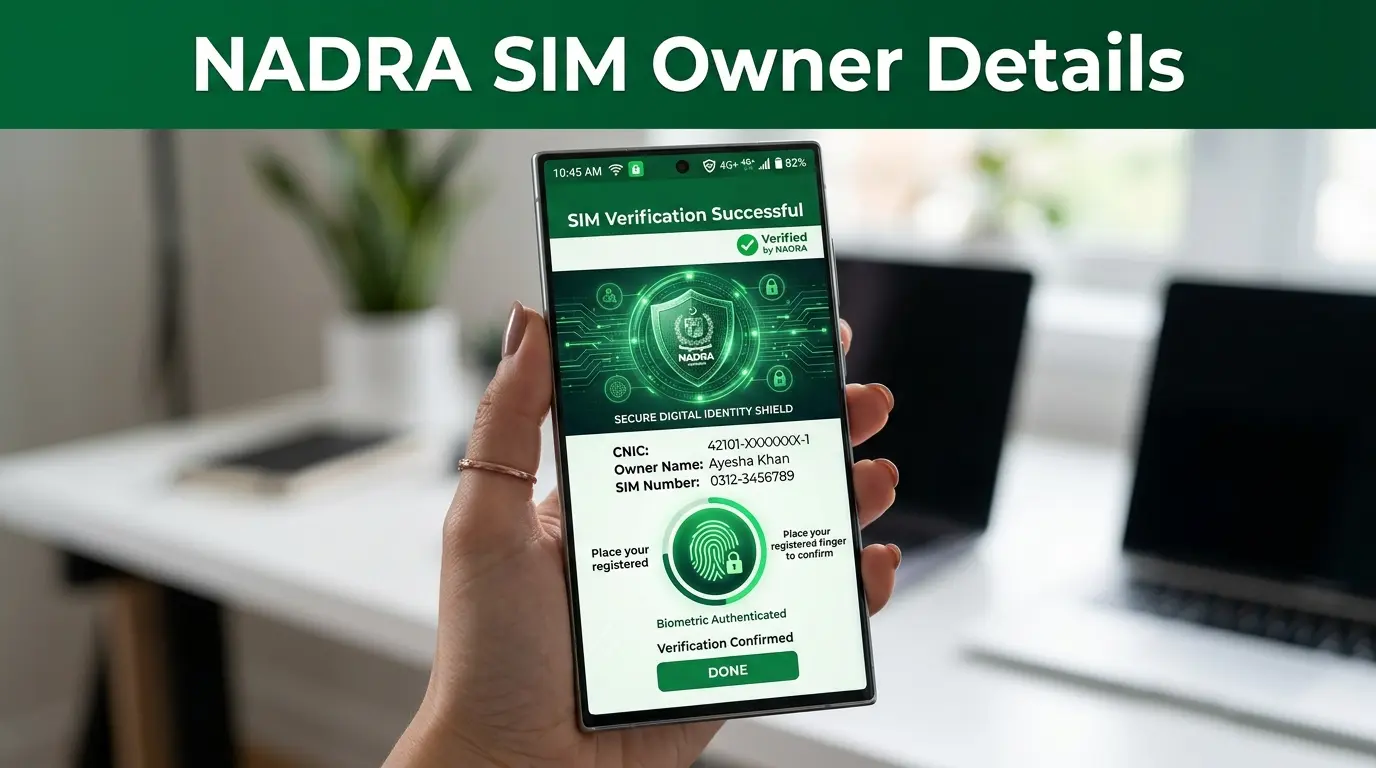
Pakistan requires biometric verification before activating a new SIM. This process strengthens identity verification, reduces fraud, and improves telecom security. Several organizations work together during verification.
NADRA’s Role
NADRA verifies your identity using its national identity records. It confirms that the submitted CNIC belongs to the applicant. It also supports biometric identity authentication during the registration process. NADRA does not activate SIM cards or maintain public subscriber records.
PTA’s Role
PTA regulates the country’s SIM registration framework. It sets verification standards, enforces telecom compliance, and monitors operator registration practices. PTA also provides official tools that help users review SIMs linked to their own CNIC.
Fingerprint Verification
Fingerprint verification confirms that the applicant is the legitimate CNIC holder. The operator captures your fingerprint during registration. The verification system checks whether the fingerprint matches the official identity record. Successful verification allows the registration process to continue.
Identity Confirmation
Identity confirmation combines several verification steps.
These include:
- CNIC validation.
- Biometric authentication.
- Customer identity checks.
- Subscriber registration review.
This process reduces identity theft and unauthorized SIM issuance.
Telecom Compliance
Every licensed operator must follow PTA regulations. Operators maintain accurate subscriber records and complete identity verification before activating any SIM. These requirements improve national telecom security and support lawful subscriber management.
eKYC
Electronic Know Your Customer (eKYC) modernizes customer verification. It combines digital identity checks with biometric authentication to verify subscribers quickly and securely. eKYC reduces paperwork, improves registration accuracy, and strengthens fraud prevention across Pakistan’s telecom sector.
How to Verify Mobile Number Ownership Legally
Many users want to verify a mobile number before making payments, reporting fraud, or confirming ownership. Pakistan allows verification only through legal and authorized procedures.
What You Can Verify
Official services allow you to:
- Check SIMs registered against your own CNIC.
- Verify your own SIM registration.
- Confirm your subscriber account.
- Update registration information.
- Report unauthorized SIMs.
- Complete biometric re-verification.
These services help protect your identity while respecting privacy laws.
What You Cannot Verify
You cannot legally:
- Search another person’s SIM owner details.
- Access someone else’s subscriber record.
- View another person’s CNIC information.
- Use unofficial SIM databases.
- Obtain private telecom records without legal authority.
No public NADRA SIM database provides this information.
Privacy Laws
Pakistan protects subscriber information through privacy and telecom regulations. Telecom operators, PTA, and NADRA protect customer records and share them only through authorized legal processes. These safeguards reduce identity theft and unauthorized access to personal information.
Legal Limitations
Official verification systems balance security with privacy. You may verify information connected to your own identity. You may also request assistance for unauthorized SIM registrations linked to your CNIC. You cannot use official services to investigate another person’s mobile number without proper legal authority.
Always rely on government-approved verification methods. Avoid websites that promise instant SIM owner details, as they may provide inaccurate information or misuse personal data.
Can You Check Someone Else’s SIM Owner Details?
Short Answer
No. You cannot legally check someone else’s SIM owner details through NADRA, PTA, or any licensed telecom operator. Official verification services only allow you to access information related to your own CNIC or mobile account after identity verification. Subscriber information remains confidential and protected by law.
Legal Explanation
Many websites claim they can reveal the owner of any mobile number. These claims create confusion. In Pakistan, NADRA verifies identities, while PTA regulates SIM registration. Mobile operators maintain subscriber records for their own customers. None of these organizations offers a public SIM owner lookup service.
If law enforcement or a court requires subscriber information during a legal investigation, telecom operators may provide records through the proper legal process. Private individuals cannot request another person’s SIM registration details simply by knowing a phone number.
Privacy Protection
Subscriber information contains sensitive personal data.
This information may include:
- Customer identity
- CNIC details
- Mobile registration records
- Biometric verification status
- Contact information
Official organizations protect this information to prevent identity theft, fraud, and unauthorized access. You may only verify information connected to your own identity after completing the required verification process.
Government Regulations
Pakistan follows strict rules for SIM registration and subscriber verification.
These rules require telecom operators to:
- Verify every subscriber before activation.
- Protect customer information.
- Maintain accurate registration records.
- Share subscriber data only through authorized legal procedures.
- Follow PTA compliance requirements.
These measures strengthen mobile security and help prevent unauthorized SIM use.
Cybercrime Implications
Using unauthorized tools to obtain someone else’s SIM owner details can create serious legal and security risks.
Many unofficial websites advertise services such as:
- SIM owner lookup
- Mobile number tracking
- CNIC lookup
- NADRA SIM database access
These services often rely on inaccurate, outdated, or illegally obtained information. Some websites may collect your personal information, install malware, or attempt financial fraud. Others may violate privacy laws by claiming to access confidential subscriber records. Always use official verification methods to protect your identity and avoid unnecessary legal or security risks.
Is There Any NADRA SIM Database Available Online?
Many users search for terms like NADRA SIM database, NADRA SIM owner details online, or NADRA SIM lookup. These searches often lead to misleading websites. The reality is simple. There is no public NADRA SIM database that allows anyone to search SIM owner information by phone number or CNIC.
Official Database
NADRA maintains Pakistan’s national identity database. Its primary purpose is to verify identities, manage CNIC records, and support secure authentication services for authorized organizations. It does not publish subscriber records or provide a public SIM owner search portal. SIM registration records remain under the control of licensed telecom operators and within Pakistan’s regulated telecom framework.
Unofficial Websites
Many third-party websites claim to provide:
- Free SIM owner details
- NADRA SIM verification
- Mobile owner lookup
- CNIC SIM database
- Phone number owner search
Most of these websites are not affiliated with NADRA or PTA. The information they display may be incomplete, outdated, inaccurate, or entirely fabricated. Do not rely on these websites for identity verification or legal purposes.
Scam Websites
Scam websites often imitate official government services.
Common warning signs include:
- Requests for payment before showing results.
- Promises of unlimited SIM owner searches.
- Claims of direct access to government databases.
- Excessive advertisements and pop-ups.
- Requests for sensitive personal information.
- No official government contact details.
These websites may attempt to steal your personal information or financial data. Always verify that you are using an official government or telecom platform before entering your CNIC or mobile number.
Fake APKs
Some Android applications advertise features such as:
- NADRA SIM checker
- SIM owner details finder
- Mobile tracker
- CNIC database search
Many of these APK files come from unofficial sources. They may contain malware, spyware, or malicious code that can compromise your device and personal information. Only install applications published by your mobile operator or other trusted official sources.
Privacy Risks
Sharing your CNIC or mobile number with unverified websites creates unnecessary risks.
Potential risks include:
- Identity theft.
- Financial fraud.
- Unauthorized account access.
- Phishing attacks.
- Data harvesting.
- SIM swap fraud.
- Personal information leaks.
Protect your digital identity by using only official verification methods provided by licensed telecom operators and government-approved services. If you suspect misuse of your CNIC or notice unknown SIM registrations, contact your mobile operator immediately and report the issue through the appropriate official channels.
Common Reasons People Verify SIM Owner Details
People search for NADRA SIM owner details for different reasons. In most cases, they want to protect their identity or confirm that their SIM registration is correct. Understanding these situations helps you choose the right verification method.
Lost SIM
A lost SIM can expose your personal information and mobile accounts.
If you lose your SIM card:
- Contact your mobile operator immediately.
- Request a SIM block.
- Verify your identity.
- Apply for a replacement SIM.
- Review other SIMs linked to your CNIC.
Quick action reduces the risk of unauthorized use.
Unknown SIM
Many users discover SIM cards they never purchased.
This situation may happen because of:
- Identity misuse.
- Registration errors.
- Outdated customer records.
- Fraudulent registrations.
Check the number of SIMs registered against your CNIC through official verification services. Report any unknown SIM to your telecom operator without delay.
Fraud
Fraudsters often misuse mobile numbers for illegal activities.
Verifying your SIM registration helps you:
- Detect suspicious activity.
- Prevent financial fraud.
- Protect banking accounts.
- Secure OTP verification.
- Reduce identity misuse.
Regular checks improve your digital security.
Identity Theft
Identity theft occurs when someone uses your CNIC without permission. Criminals may attempt to register SIM cards using stolen identity information. Review your registered SIMs regularly. Report suspicious registrations immediately to your operator.
SIM Swap
A SIM swap happens when someone transfers your mobile number to another SIM without your approval.
Attackers often target:
- Banking accounts.
- Digital wallets.
- Social media accounts.
- Email accounts.
Verify your SIM registration if you suddenly lose network service or stop receiving verification codes.
Unauthorized Registration
Unauthorized SIM registration remains one of the most common concerns in Pakistan.
This issue may occur because of:
- CNIC misuse.
- Registration mistakes.
- Fraudulent applications.
- Identity document theft.
Checking your registered SIMs helps you detect these problems early.
Business Verification
Many businesses issue company SIM cards to employees.
Regular verification helps businesses:
- Maintain accurate subscriber records.
- Remove inactive numbers.
- Improve telecom compliance.
- Protect company data.
- Prevent unauthorized mobile use.
Good record management strengthens organizational security.
Family Verification
Families often manage several SIM cards under different household members.
Parents and guardians may verify registrations to:
- Confirm ownership.
- Update customer records.
- Replace lost SIMs.
- Remove inactive numbers.
- Improve family account security.
Always complete verification with the consent of the registered subscriber.
How to Remove Unauthorized SIMs Registered on Your CNIC
If you find an unknown SIM linked to your CNIC, take action immediately. Quick reporting reduces the risk of fraud and protects your identity.
Step 1: Verify Your SIM Registration
Start by checking the number of SIMs registered against your CNIC through an official verification method. Compare the results with the SIM cards you actually own. Write down any unfamiliar registrations.
Step 2: Collect Supporting Evidence
Prepare the documents required for verification.
These usually include:
- Original CNIC.
- Copy of your CNIC, if requested.
- Active contact number.
- Details of the unknown registration.
- Any previous complaint reference.
Keeping these documents ready speeds up the process.
Step 3: Contact Your Mobile Operator
Contact the operator responsible for the unknown SIM.
The operator will:
- Verify your identity.
- Review subscriber records.
- Confirm the registration status.
- Begin an internal investigation.
You may need to complete biometric verification before the operator updates your account.
Step 4: Submit a Formal Complaint
If the issue remains unresolved, file a formal complaint through the operator’s official complaint channel.
Include:
- Your CNIC.
- Complaint details.
- Registration information.
- Supporting documents.
Keep the complaint reference number for future follow-up. If necessary, follow the operator’s escalation process in accordance with PTA’s consumer complaint procedures.
Resolution Timeline
Resolution times vary depending on the operator and the complexity of the case.
Most cases follow this process:
| Stage | Expected Action |
| Verification | Identity confirmation and complaint review. |
| Investigation | Operator examines subscriber records. |
| Biometric Review | Additional verification if required. |
| Decision | Unauthorized registration removed if confirmed. |
| Confirmation | Customer receives the final update. |
Respond quickly if the operator requests additional information. Delays in verification may extend the investigation.
Common SIM Registration Problems and Solutions
The following table highlights common registration issues and practical solutions.
| Problem | Possible Cause | Recommended Solution |
| Unknown SIM linked to your CNIC | Identity misuse or registration error | Verify your SIMs and contact the responsible operator immediately. |
| SIM registration failed | Incorrect customer information or verification issue | Recheck your CNIC details and complete verification again. |
| Biometric verification failed | Fingerprint mismatch or poor scan quality | Visit an authorized franchise for another biometric scan. |
| CNIC verification error | Invalid or outdated identity information | Update your CNIC information before registering again. |
| SIM not activated | Verification process remains incomplete | Contact your operator and confirm your registration status. |
| Lost SIM | SIM lost or damaged | Request an official SIM replacement after identity verification. |
| Unauthorized registration | Fraud or identity theft | Report the issue immediately and request removal of the unauthorized SIM. |
| Incorrect subscriber information | Customer record contains outdated details | Ask your operator to update your account after identity verification. |
| Unable to access verification service | Network issue or temporary system maintenance | Wait and try again later or visit an authorized franchise. |
| SIM blocked | Regulatory, technical, or security issue | Contact your operator to identify the reason and complete any required verification. |
Regularly reviewing your registered SIM details helps you identify problems early. It also protects your digital identity, improves mobile security, and reduces the risk of fraud or unauthorized registrations.
SIM Registration Rules in Pakistan (2026)
Pakistan follows strict SIM registration rules to protect users, reduce fraud, and strengthen national telecom security. Every subscriber must complete identity verification before a mobile operator activates a new SIM. Understanding these rules helps you avoid registration problems and protect your digital identity.
Biometric Verification
Biometric verification is mandatory for every new SIM registration. During registration, the telecom operator captures your fingerprint and verifies your identity through the approved verification process. A SIM cannot be activated until identity verification succeeds.
Biometric verification helps:
- Prevent identity theft.
- Stop fake registrations.
- Reduce SIM misuse.
- Improve subscriber verification.
- Strengthen telecom security.
Maximum SIM Limits
PTA places limits on the number of SIM cards that one person can register using a single CNIC.
These limits help:
- Prevent illegal SIM distribution.
- Reduce identity misuse.
- Improve telecom compliance.
- Support subscriber accountability.
Always review the SIMs linked to your CNIC. Remove any unauthorized registrations immediately.
CNIC Requirements
A valid Computerized National Identity Card (CNIC) is required for SIM registration.
Before issuing a SIM, the operator verifies:
- CNIC validity.
- Customer identity.
- Biometric authentication.
- Subscriber information.
Expired, incorrect, or invalid identity records may delay registration.
Foreign Nationals
Foreign visitors cannot register a SIM using the same process as Pakistani citizens.
Telecom operators may require:
- A valid passport.
- A valid visa or legal entry document.
- Additional identity verification.
- Supporting documentation required under applicable regulations.
Requirements may differ depending on the operator and the customer’s immigration status.
Corporate SIMs
Businesses can obtain corporate SIMs for employees and official operations.
Corporate registration usually requires:
- Business registration documents.
- Authorized company representative.
- Identity verification.
- Supporting documentation requested by the operator.
Organizations should maintain accurate subscriber records and remove inactive numbers when employees leave.
Government Regulations
Pakistan’s SIM registration system operates under government-approved telecom regulations.
These regulations focus on:
- Identity verification.
- Subscriber authentication.
- Biometric compliance.
- Telecom security.
- Consumer privacy.
- Fraud prevention.
- Lawful record management.
Following official procedures protects both customers and mobile operators.
Security Tips to Protect Your SIM Identity
Your SIM card connects to your bank accounts, social media profiles, email accounts, and digital services. Protecting your SIM also protects your personal identity. Use these practical security tips to reduce the risk of fraud and unauthorized access.
1. Check SIMs Registered on Your CNIC Regularly
Review your registered SIMs through official verification methods. Report unknown registrations immediately.
2. Never Share Your CNIC Unnecessarily
Only provide your CNIC to trusted organizations that require identity verification.
3. Complete Registration Through Authorized Channels
Use official franchises and licensed telecom operators for every SIM-related service.
4. Protect Your One-Time Passwords (OTPs)
Never share OTPs with anyone, including callers claiming to represent your mobile operator.
5. Enable Account Security Features
Activate additional security options for banking, email, and digital wallet accounts.
6. Watch for SIM Swap Warning Signs
Unexpected network loss or missing OTP messages may indicate a SIM swap attempt.
7. Contact Your Operator Quickly
Report suspicious activity as soon as you notice unusual account behavior.
8. Keep Your Contact Information Updated
Accurate customer records make identity verification easier.
9. Avoid Unofficial SIM Lookup Websites
Many websites claiming to offer SIM owner details collect personal information or display inaccurate data.
10. Download Only Official Mobile Apps
Install applications published by your telecom operator or trusted app stores.
11. Lock Your Smartphone
Use a PIN, password, fingerprint, or facial recognition to secure your device.
12. Keep Your Operating System Updated
Install software updates to reduce security vulnerabilities.
13. Protect Your Email Account
Your email often serves as the recovery account for many online services.
14. Use Strong Passwords
Create unique passwords for important online accounts.
15. Enable Two-Factor Authentication
Whenever possible, use an authentication app in addition to SMS verification.
16. Monitor Banking Notifications
Review account alerts regularly for suspicious transactions.
17. Store Your CNIC Safely
Avoid sharing copies of your identity documents unless absolutely necessary.
18. Destroy Old SIM Cards Properly
Remove personal data and dispose of inactive SIMs securely.
19. Stay Alert for Phishing Attempts
Ignore unexpected calls, messages, or emails requesting personal information.
20. Verify Before Trusting
Confirm the identity of anyone requesting account or subscriber information.
21. Review Family SIM Registrations
Help family members verify their own registrations through official channels.
22. Secure Your Business Mobile Accounts
Organizations should audit employee SIM registrations regularly.
23. Report Lost SIM Cards Immediately
Request a SIM block and replacement without delay.
24. Review Your Mobile Bills
Unexpected charges may indicate unauthorized activity.
25. Learn the Official Verification Process
Understanding SIM registration, CNIC verification, and biometric authentication helps you recognize scams before they become a problem.
Following these security practices reduces the risk of SIM swap fraud, identity theft, unauthorized registrations, and mobile account compromise. Regular verification and responsible handling of your personal information remain the best ways to protect your digital identity.
Fake SIM Owner Lookup Websites — Warning Signs
Many websites claim they can provide NADRA SIM owner details, SIM owner lookup, or mobile number owner information. These claims often attract users who want a quick answer. In reality, NADRA, PTA, and licensed telecom operators do not offer a public database for searching another person’s SIM registration. If a website promises unlimited access to SIM owner records, treat it as a warning sign. Using unofficial platforms can expose your personal information and increase your risk of fraud.
Data Leaks
Some websites claim their data comes from government databases or telecom records. These claims are often false or misleading.
If a website displays personal information without authorization, the data may:
- Be outdated.
- Be incomplete.
- Contain incorrect records.
- Come from unauthorized sources.
Relying on leaked or unverified information can lead to incorrect decisions and privacy concerns.
Privacy Risks
Many fake lookup websites ask users to enter:
- CNIC numbers.
- Mobile numbers.
- Full names.
- Email addresses.
- Payment information.
Sharing this information with unknown websites can expose your identity and financial accounts. Official verification services request only the information needed to verify your own identity.
Identity Theft
Cybercriminals often collect personal information through fake verification websites.
They may use stolen information to:
- Register unauthorized SIMs.
- Open fraudulent accounts.
- Target financial services.
- Launch phishing attacks.
- Impersonate victims online.
Protect your CNIC and subscriber information at all times.
Scams
Fraudulent websites often use convincing designs to appear official.
Common scam tactics include:
- Charging fees before showing results.
- Promising instant SIM owner details.
- Displaying fake government logos.
- Claiming exclusive database access.
- Requesting unnecessary personal information.
Always verify that you are using an official government or telecom platform before entering sensitive data.
Malware
Some fake verification websites encourage users to install software or Android APK files.
These downloads may contain:
- Spyware.
- Malware.
- Keyloggers.
- Banking trojans.
- Remote access software.
Malicious software can steal passwords, banking information, and personal files. Only install applications published by official mobile operators or trusted app stores.
Fake Databases
There is no public NADRA SIM database that allows unrestricted SIM owner searches.
Fake databases often:
- Display fabricated information.
- Show incomplete records.
- Use recycled or outdated data.
- Mix information from multiple unknown sources.
Do not trust these results for identity verification, legal matters, or business decisions. Always rely on official verification methods approved by Pakistan’s telecom authorities.
Official Verification Platforms
Several organizations provide official verification services in Pakistan. Each platform serves a different purpose and protects subscriber privacy.
The table below explains when to use each service.
| Authority | Purpose | Official Website | Service | Requirements | Best Use Case |
| NADRA | Identity verification and CNIC authentication | https://www.nadra.gov.pk | Identity verification services | Valid CNIC and identity verification | Confirming identity and CNIC records |
| PTA | Telecom regulation and SIM oversight | https://www.pta.gov.pk | SIM Information System and telecom services | Valid CNIC | Checking SIMs registered against your CNIC |
| Jazz | Subscriber account management | https://jazz.com.pk | SIM registration, replacement, customer verification | Customer identity verification | Managing Jazz SIM accounts |
| Zong | Customer verification and SIM services | https://www.zong.com.pk | Registration support and account services | Verified subscriber | Managing Zong SIM registrations |
| Ufone | Subscriber verification | https://www.ufone.com | SIM management and customer support | Customer verification | Updating Ufone registration details |
| Telenor Pakistan | Mobile subscriber services | https://www.telenor.com.pk | Registration, replacement, verification | Verified customer account | Managing Telenor SIM services |
| SCO | Telecom services in supported regions | https://www.sco.gov.pk | Customer registration and verification | Valid identity documents | SCO subscriber support |
Which Platform Should You Use?
Choose the platform that matches your goal.
- Use NADRA for identity verification.
- Use PTA to check SIMs linked to your own CNIC.
- Use your mobile operator to manage your subscriber account.
- Visit an authorized franchise for biometric verification or SIM replacement.
Using the correct platform saves time and protects your personal information.
Mobile Operators Supporting Verification
Every licensed telecom operator in Pakistan provides official verification services for its own subscribers. These services help customers verify registration, replace SIM cards, update customer information, and resolve account issues.
| Mobile Operator | Verification Methods | Customer Care | Official App | Authorized Franchises |
| Jazz | CNIC verification, biometric verification, account verification | Available through official support channels | Jazz World | Yes |
| Zong | Subscriber verification, biometric verification, registration support | Available through official support channels | My Zong App | Yes |
| Ufone | Identity verification, SIM registration support, biometric verification | Available through official support channels | My Ufone App | Yes |
| Telenor Pakistan | Subscriber verification, account verification, SIM replacement | Available through official support channels | My Telenor App | Yes |
| SCO | Customer verification, registration support, identity verification | Available through official support channels | Official services where available | Yes |
When Should You Contact Your Operator?
Your mobile operator can help you:
- Verify your own SIM registration.
- Replace a lost or damaged SIM.
- Complete biometric verification.
- Update subscriber information.
- Correct registration errors.
- Report unauthorized SIM registrations.
- Resolve SIM activation issues.
Remember that operators can only discuss accounts after verifying your identity. They cannot disclose another person’s subscriber information because privacy laws protect customer records.
Benefits of Verifying SIM Registration
Regularly verifying your SIM registration protects your identity and helps you maintain control of your mobile accounts. It also allows you to detect unauthorized registrations before they create serious problems. Whether you use PTA’s SIM Information System or your mobile operator’s official services, routine verification strengthens your digital security.
Identity Protection
Your CNIC links directly to your SIM registration.
Checking your registered SIMs helps you:
- Detect unauthorized registrations.
- Protect your personal identity.
- Prevent CNIC misuse.
- Maintain accurate subscriber records.
- Reduce the risk of identity theft.
Early detection makes resolving registration issues much easier.
Fraud Prevention
Fraudsters often target mobile numbers because they connect to banking services, digital wallets, and online accounts.
Regular verification helps you:
- Identify suspicious SIM activity.
- Reduce financial fraud.
- Prevent SIM swap attacks.
- Protect banking verification codes.
- Secure online accounts.
Small security checks today can prevent major problems later.
Compliance
Pakistan requires mobile subscribers to complete official identity verification before using a SIM.
Keeping your registration accurate helps you:
- Follow telecom regulations.
- Maintain valid subscriber records.
- Complete biometric verification when required.
- Avoid registration issues.
- Support lawful mobile services.
Compliance also makes future account updates much easier.
Security
Verified subscriber records improve overall telecom security.
They help:
- Prevent fake registrations.
- Reduce unauthorized SIM activation.
- Improve customer verification.
- Strengthen mobile account protection.
- Support secure digital services.
Every verified SIM contributes to a safer mobile network.
Digital Safety
Your mobile number protects many important online accounts.
Verifying your SIM registration helps secure:
- Online banking.
- Digital wallets.
- Email accounts.
- Social media profiles.
- Government services.
- Business communications.
Protecting your SIM also protects your digital identity.
Limitations of SIM Owner Verification
Many users expect to find a public SIM owner lookup service. Pakistan’s verification system works differently. Official verification focuses on protecting subscriber privacy instead of providing unrestricted public access. Understanding these limits helps you avoid misleading websites and false claims.
Privacy Laws
Subscriber information contains sensitive personal data.
Privacy protections prevent unauthorized access to:
- Customer identities.
- CNIC information.
- Mobile registration records.
- Contact details.
- Biometric information.
These protections reduce identity theft and unauthorized data sharing.
Restricted Access
Official verification services only allow you to access information connected to your own identity.
You can verify:
- SIMs registered against your CNIC.
- Your subscriber account.
- Your registration status.
You cannot access another person’s subscriber information without lawful authority.
Government Regulations
Pakistan’s telecom regulations define how subscriber information is collected, verified, stored, and shared.
Licensed telecom operators must:
- Verify every subscriber.
- Protect customer records.
- Follow identity verification requirements.
- Share information only through authorized legal procedures.
These rules strengthen national telecom security.
No Public Lookup
Many people search for NADRA SIM owner details online expecting a searchable database.
No official authority offers a public search tool that reveals:
- SIM owner names.
- CNIC details.
- Subscriber addresses.
- Mobile account information.
If a website claims otherwise, treat the information with caution.
Third-Party Limitations
Unofficial websites cannot replace official verification services.
Most third-party platforms:
- Lack access to official subscriber records.
- Display inaccurate information.
- Use outdated data.
- Cannot verify customer identities.
- May create privacy risks.
Always verify your SIM registration through government-approved services or your mobile operator.
Latest Changes in SIM Registration Rules (2026)
Pakistan continues to strengthen its SIM registration framework to improve security, reduce fraud, and protect subscriber identities. Recent improvements focus on faster verification and stronger digital identity protection.
Digital Identity
Pakistan continues to expand the use of secure digital identity systems across public and private services.
Modern verification processes improve:
- Identity authentication.
- Customer verification.
- Registration accuracy.
- Service delivery.
- Digital security.
Digital identity also supports more efficient telecom services.
eKYC
Electronic Know Your Customer (eKYC) has become an important part of subscriber verification.
eKYC helps operators:
- Verify customer identities faster.
- Reduce manual paperwork.
- Improve registration accuracy.
- Detect suspicious applications.
- Strengthen fraud prevention.
Digital verification also creates a better customer experience.
AI Verification
Telecom providers continue to introduce intelligent verification tools to improve fraud detection and registration accuracy.
These technologies may help operators:
- Detect unusual registration patterns.
- Identify duplicate applications.
- Improve document verification.
- Support risk assessment.
- Strengthen subscriber protection.
AI supports human review but does not replace official identity verification requirements.
Biometric Updates
Biometric verification remains a key requirement for new SIM registrations.
Ongoing improvements focus on:
- Better fingerprint matching.
- Faster verification.
- Improved system reliability.
- Stronger identity authentication.
- Reduced registration errors.
These updates improve both security and customer convenience.
Telecom Regulations
PTA continues to enforce regulations that support secure SIM registration and responsible subscriber management.
Operators must continue to:
- Verify customer identities.
- Maintain accurate subscriber records.
- Complete biometric verification where required.
- Protect customer information.
- Follow regulatory compliance requirements.
Identity Protection
Protecting customer identity remains the primary goal of Pakistan’s SIM registration framework.
Recent security improvements focus on:
- Preventing identity theft.
- Reducing SIM swap fraud.
- Detecting unauthorized registrations.
- Protecting subscriber privacy.
- Strengthening digital trust.
As digital services continue to grow, accurate identity verification, SIM registration, and subscriber authentication remain essential for protecting users and maintaining a secure telecom ecosystem.
Frequently Asked Questions
1. What is NADRA SIM owner details?
NADRA SIM owner details is a search term people use when looking for SIM ownership information. NADRA verifies identities, but it does not provide a public SIM owner lookup service.
2. How can I check NADRA SIM owner details?
You cannot check another person’s SIM owner details through NADRA. You can only verify SIMs registered against your own CNIC using official verification methods.
3. Does NADRA have a SIM database?
No. NADRA maintains Pakistan’s national identity database. It does not provide a public database for SIM owner searches.
4. Can I verify someone else’s SIM?
No. Privacy laws prevent public access to another person’s subscriber information. Only authorized legal authorities can request such records through lawful procedures.
5. How many SIMs can one CNIC have?
PTA sets limits on the number of SIMs that can be registered against one CNIC. Check the latest PTA guidelines because regulatory limits may change over time.
6. How do I remove unauthorized SIMs?
First, verify the SIMs registered against your CNIC. Then contact the relevant mobile operator and report the unauthorized registration. Complete identity verification if requested.
7. How do I verify biometric registration?
Visit an authorized franchise or customer service center with your original CNIC. The operator will complete fingerprint verification before updating your registration.
8. Can I check SIM registration online?
Yes. You can check SIMs linked to your own CNIC through official verification services provided by PTA and licensed telecom operators.
9. What is the PTA SIM Information System?
The PTA SIM Information System is an official service that shows the number of SIM cards registered against your CNIC by each mobile operator.
10. How do telecom companies verify SIM ownership?
Operators verify your CNIC, complete biometric authentication, and follow PTA registration requirements before activating your SIM.
11. Can I check a SIM owner by phone number?
No. Pakistan does not provide a public service that reveals SIM owner information by phone number.
12. Can I check SIM owner details without a CNIC?
No. Official verification requires identity confirmation. You must verify your own identity before accessing your registration information.
13. How does biometric verification work?
The operator captures your fingerprint and verifies it through approved identity verification systems before activating your SIM.
14. Why is SIM verification important?
SIM verification protects your identity, reduces fraud, prevents unauthorized registrations, and strengthens telecom security.
15. Is online SIM lookup legal?
Official verification services are legal. Unofficial websites claiming to reveal another person’s SIM owner details may violate privacy laws or provide unreliable information.
16. How do I report fake SIM registration?
Contact your mobile operator immediately. Report the issue through official customer support and complete any required identity verification.
17. What should I do if my CNIC is misused?
Check the SIMs registered against your CNIC. Report any unauthorized registrations to the responsible operator without delay.
18. How often should I check registered SIMs?
Review your SIM registrations periodically or whenever you suspect unauthorized activity, identity misuse, or account fraud.
19. Can foreigners register SIMs in Pakistan?
Yes. Eligible foreign nationals may register SIMs after meeting the identity and documentation requirements of the mobile operator and applicable regulations.
20. How can I secure my mobile identity?
Protect your CNIC, verify your SIM registrations regularly, avoid unofficial lookup websites, and report suspicious activity immediately.
21. Does NADRA issue SIM cards?
No. Mobile operators issue SIM cards. NADRA only supports identity verification during the registration process.
22. Can I register a SIM using someone else’s CNIC?
No. Doing so is illegal. Every SIM must be registered to the verified owner of the CNIC.
23. Which authority regulates SIM registration in Pakistan?
PTA regulates SIM registration, while telecom operators register subscribers and NADRA supports identity verification.
24. What documents do I need for SIM registration?
Pakistani citizens generally need a valid CNIC. Foreign nationals may need a passport, visa, or other required documents.
25. Can I update my SIM registration details?
Yes. Contact your mobile operator and complete the required identity verification to update your account information.
26. What should I do if biometric verification fails?
Visit an authorized franchise and request another biometric scan. The operator will guide you through the next steps.
27. Can businesses register corporate SIMs?
Yes. Companies can obtain corporate SIMs after providing the required business documents and completing the operator’s verification process.
28. Is there an official NADRA SIM checker?
No. NADRA does not operate a public SIM checker. Use official PTA services or your mobile operator for verification.
29. Why should I avoid third-party SIM lookup websites?
Many unofficial websites provide inaccurate information, collect personal data, or expose users to fraud and malware.
30. What is the safest way to verify SIM registration?
The safest method is to use official services provided by PTA or your mobile operator and complete identity verification through authorized channels.
Final Thoughts
Many people search for NADRA SIM owner details because they want to verify a mobile number or check SIM ownership. However, it is important to understand how Pakistan’s verification system actually works. NADRA verifies identities through CNIC and biometric authentication.
PTA regulates SIM registration across the country. Licensed mobile operators register subscribers, maintain customer records, and activate SIM cards after successful verification. No official authority provides a public database that allows anyone to search another person’s SIM owner details. This restriction protects subscriber privacy and reduces the risk of identity theft, fraud, and unauthorized access to personal information.
If you want to check SIMs registered against your own CNIC, always use government-approved verification methods or contact your mobile operator directly. Avoid unofficial lookup websites, fake databases, and unauthorized mobile apps because they may expose your personal information or display inaccurate data. Regularly reviewing your SIM registrations, protecting your CNIC, completing biometric verification when required, and reporting suspicious activity promptly will help you maintain a secure digital identity. Following official verification procedures remains the safest and most reliable way to manage your mobile registration in Pakistan.